
Please enter a keyword
What is funnel analysis?
Funnel analysis shows you where users drop off on the way to a goal. Arrange events in order to visualize drop-offs at each step of the journey.
Author: Cascade
By visualizing user drop-off points, it helps identify bottlenecks that need improvement and allows for comparisons of metrics before and after strategies are implemented.
Situations to Use
• When you want to investigate the reasons users are dropping off during the application or registration process.
• When you want to identify stumbling points in onboarding.
• When you want to increase the conversion rate to key events (such as purchases, material requests, completion of integrations, etc.).
Setting Up Funnel Analysis
This section explains the steps for setting up events to conduct analysis.
Operational Steps
1. Select the start event and the goal event
2. Add and organize intermediate events
1. Select the start event and the goal event
First, set the events that will mark the start and end points of the analysis.
1. Press the[︙]located on the right side of the step (row) on the screen.
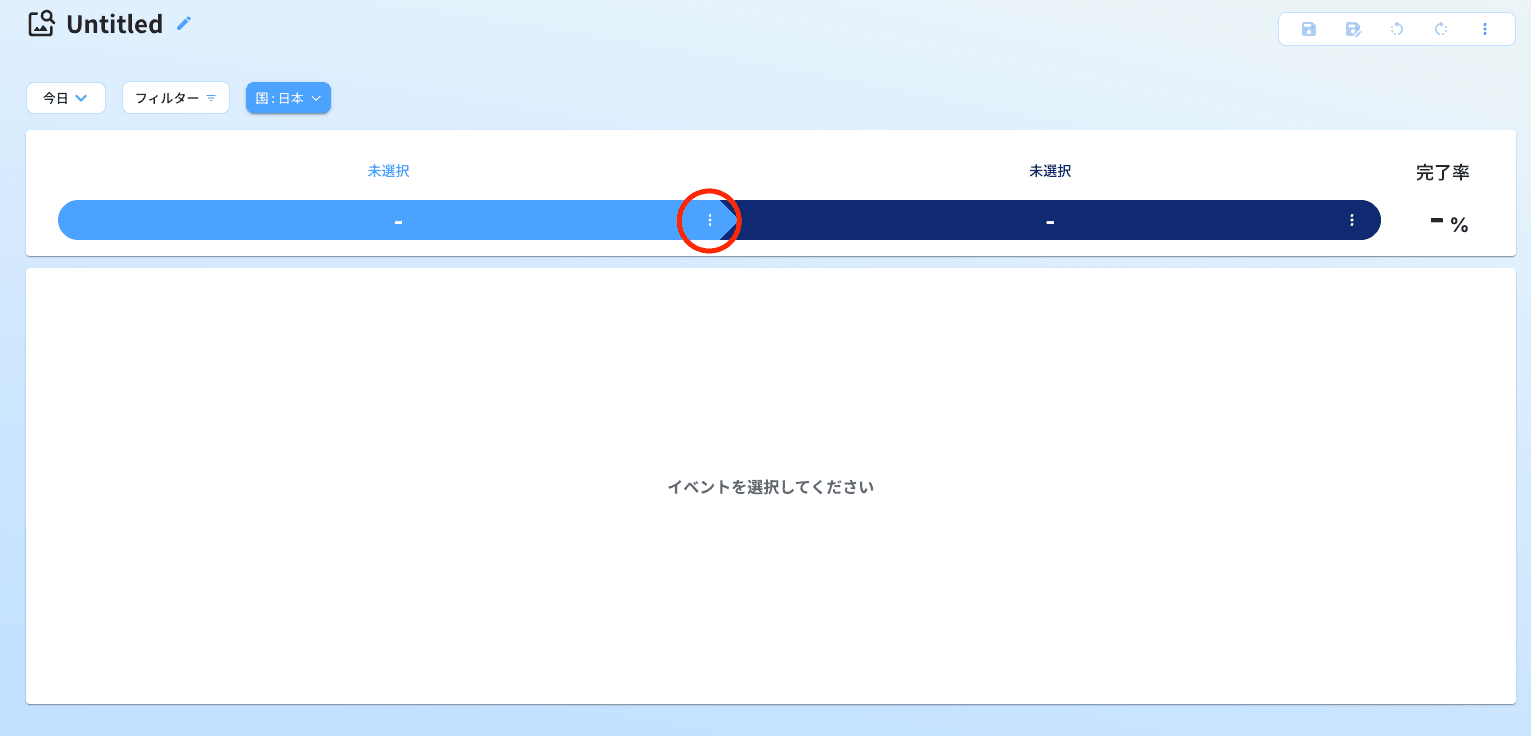
2. From the displayed menu, select the first event (start event).
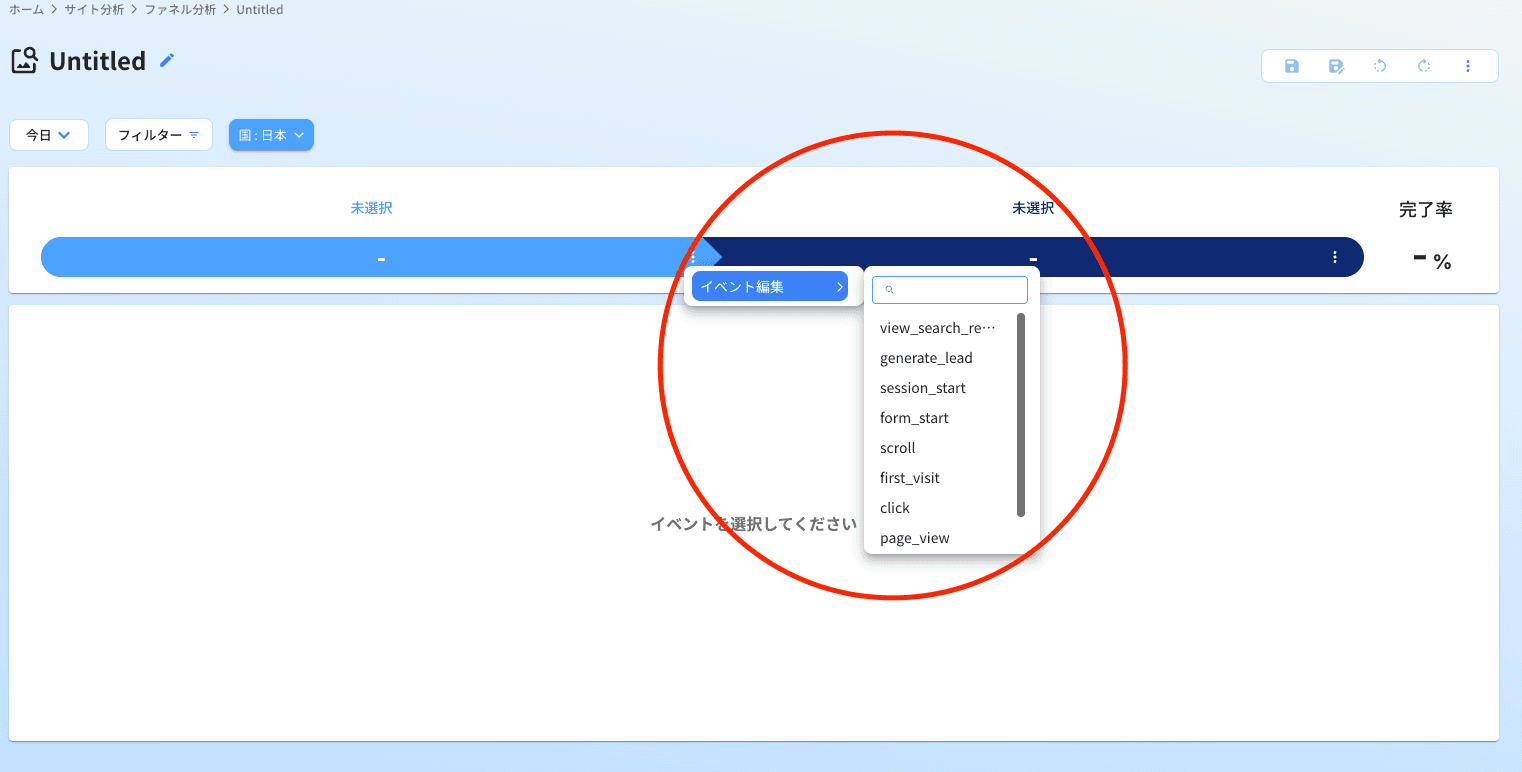
3. Similarly, press the[︙]on the right side (goal side) and select the event you wish to handle as a conversion.
2. Add and organize intermediate events
As needed, add events between the start and goal, or delete unnecessary steps.
When adding events, you can do so using any of the following operations:
• Press the[+]displayed on the right.
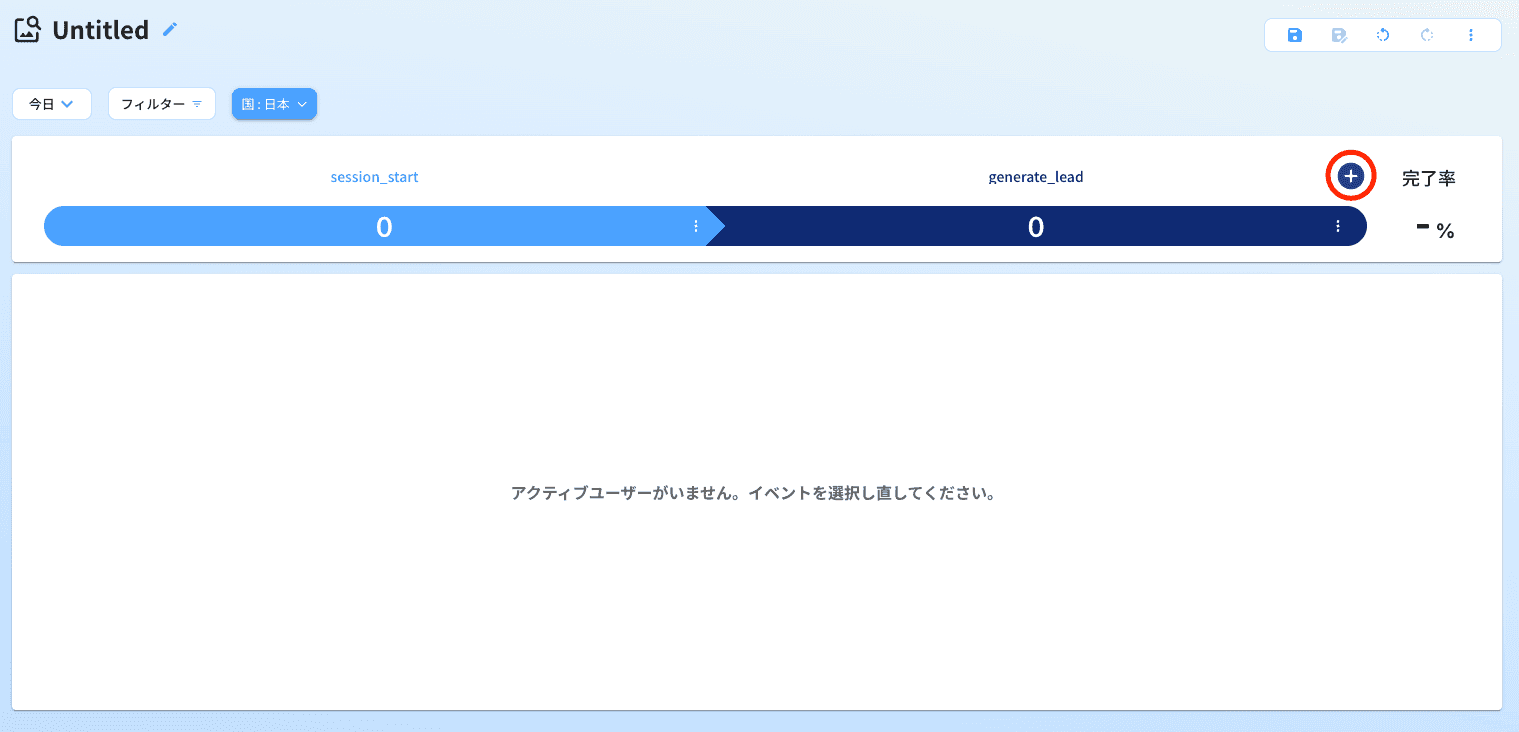
• Press the [︙]and select [Add Event] from the menu.
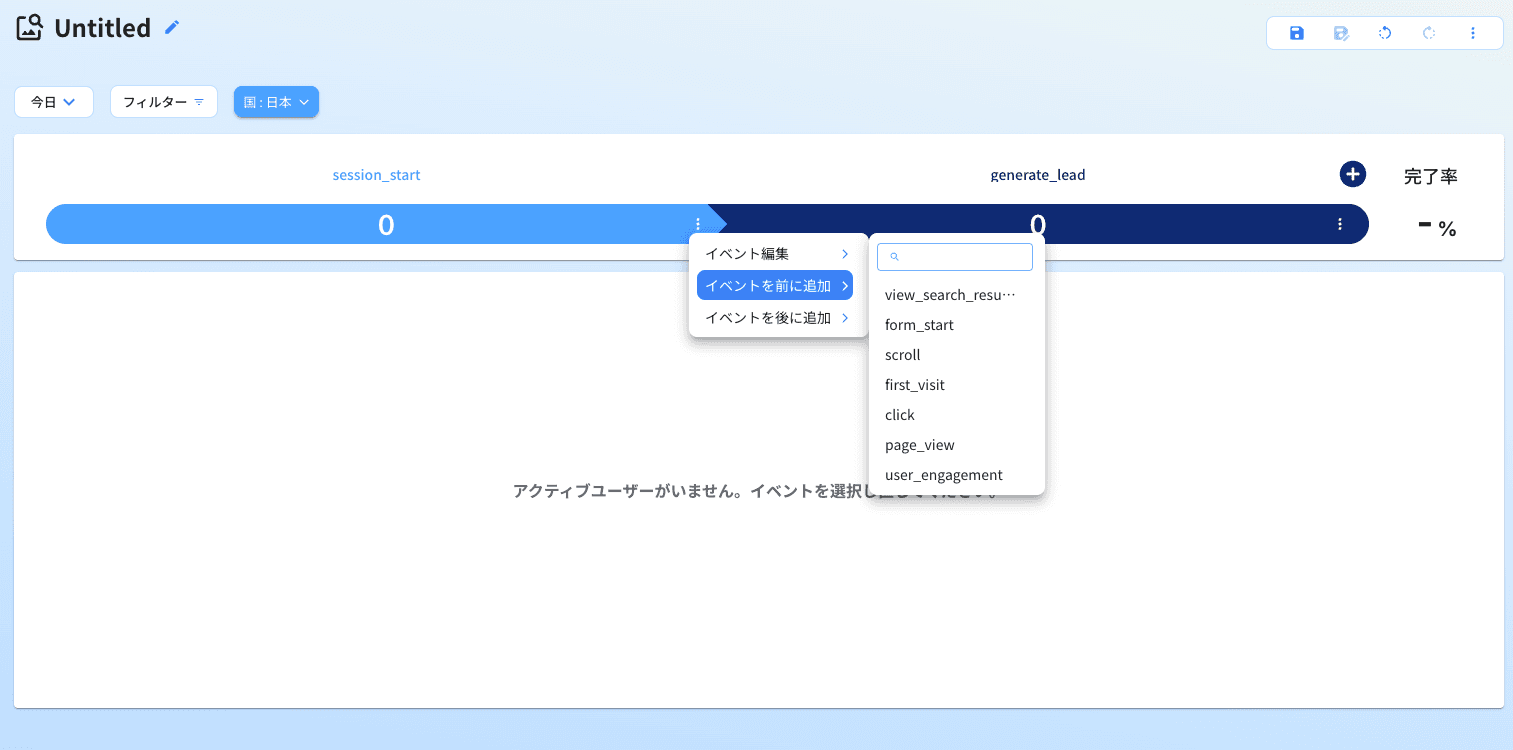
When deleting events, press the[︙]of the step you want to delete and select delete from the menu.
Tips Tips and Precautions for Configuration
• Order of Events: Please set the events according to the order that users actually follow.
• Number of Steps: If there are too many steps, the conditions may become strict, and the metrics could become smaller. It is recommended to start with 3 to 5 steps.
• Analysis of Drop-off Causes: If there are steps with a high drop-off rate, check what happens at the event just prior (input forms, permission grants, error displays, display speed, etc.).
• Accuracy of Measurement: The analysis results depend on the accuracy of event design and measurement. If events are not measured correctly, users who have not actually dropped off may be treated as drop-offs.