
Please enter a keyword
Budget optimization
Automatically allocate your budget to top-performing campaigns across multiple ad platforms with budget optimization, maximizing your overall results.
Author: Cascade
Use Budget Optimization
In budget optimization, AI provides suggestions for optimizing the allocation of advertising budgets. You can review the suggestions and implement them in your media.
Check the Optimization Status
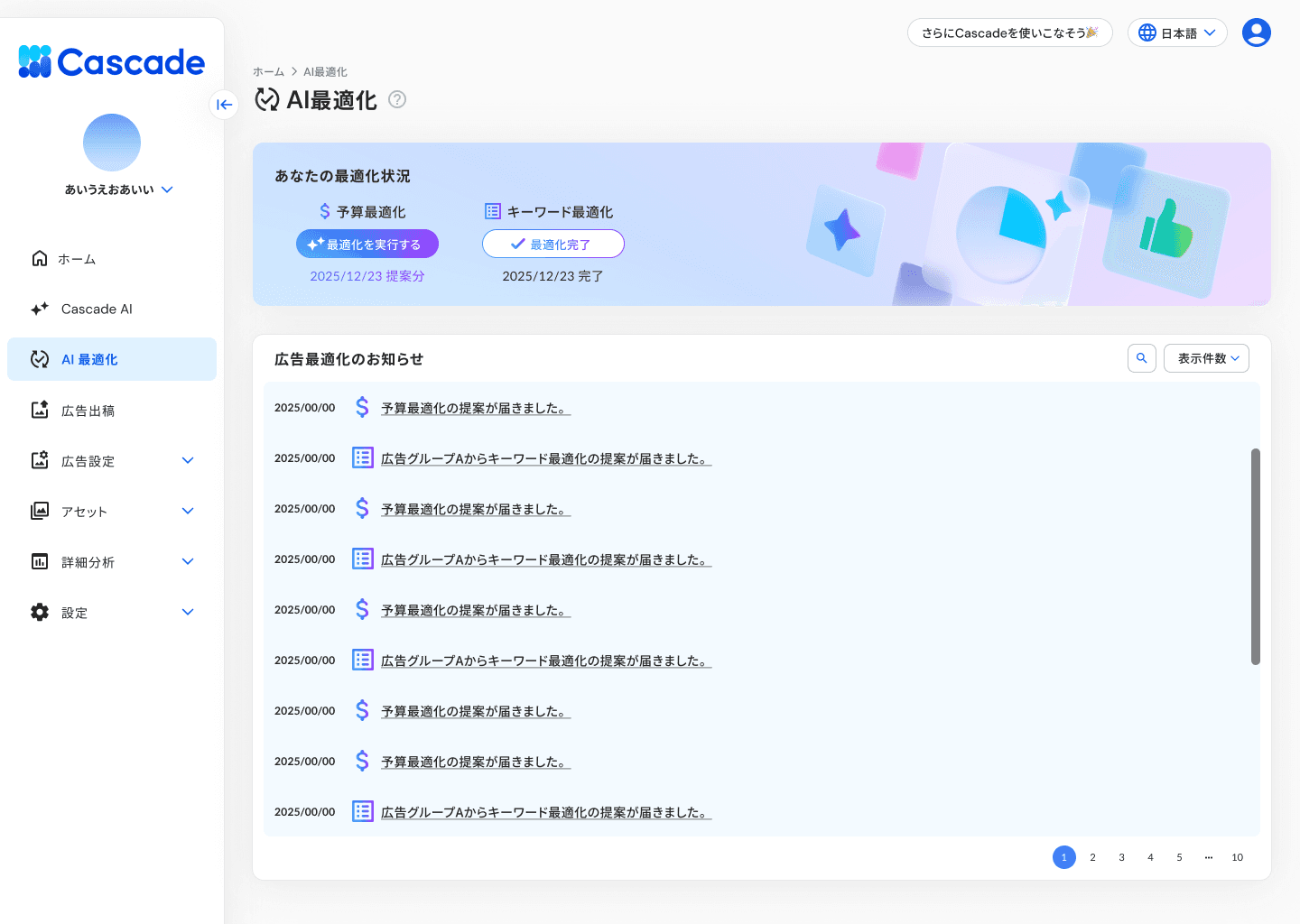
By selecting [AI Optimization] from the left menu, two optimization statuses will be displayed below.
Item | Content |
|---|---|
Budget Optimization | Status of AI's suggestions for optimizing budget allocation and the execution button |
Keyword Optimization | Status of completion of AI's keyword optimization |
At the bottom of the screen, in the “Advertising Optimization Notifications,” the dates and contents of the suggestions for budget optimization and keyword optimization will be displayed in a list. By selecting each notification, you can check the details of the suggestions.
Optimize Budget Allocation
1. Press [Execute Optimization]
A dialog saying “You can optimize budget allocation for each advertising medium” will be displayed. The current budget allocation will be shown on the left, and the optimized budget allocation suggested by AI will be shown on the right.
You can compare the allocation ratios for each advertising medium and the daily budget, click cost, and CV count for each campaign with the current values. AI's comments will also be displayed regarding the post-optimization budget.
![1. Press [Execute Optimization]](https://framerusercontent.com/images/arcXhAOuzRxQVIjzcW1qrQQ3hCE.png)
2. Review the contents and press [Optimize Budget Allocation]
The budget allocation proposed by AI will be reflected in the media. If you wish to stop the optimization, press [Cancel].
Once the optimization is complete, a comparison screen of budget allocation before and after optimization will be displayed. If it is already in an optimal state, it will state, “There are currently no additional optimization proposals.”
![2. Review the contents and press [Optimize Budget Allocation]](https://framerusercontent.com/images/Qr5ONGZ2hAbQTHgCMMfFFWbel4A.png)
Create an Optimization Group
By creating an optimization group, you can manage the campaigns that are subject to budget optimization on a group basis. You can set a budget cap for each group, allowing for fine control of budget adjustments across different media.
1. Press [Create Optimization Group]
A dialog for “Creating an Optimization Group” will be displayed.
![1. Press [Create Optimization Group]](https://framerusercontent.com/images/SxhdxatRaz6I9N5QdqgRAYXOXqQ.png)
2. Enter the Group Name
3. Select the campaigns to be subject to budget optimization
Check the campaigns from the list. You can also search by campaign name. By pressing [Select All], you can select all campaigns at once.
4. Set the Budget Optimization Cap
Specify the percentage for the cap of budget fluctuations that AI can make. The default value is 15%.
5. Press [Create Group]
An optimization group will be created.
Exclude Campaigns from Budget Optimization
You can exclude specific campaigns from being subject to budget optimization. The budgets for excluded campaigns will not be altered by AI.
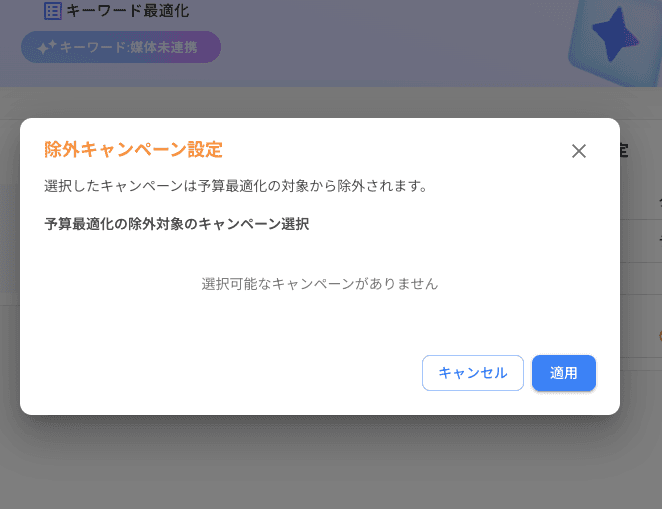
1. Press [Exclude Campaign Settings]
A dialog for “Exclude Campaign Settings” will be displayed.
2. Select the campaigns to exclude
Check the campaigns from the list. You can also search by campaign name.
3. Press [Apply]
The selected campaigns will be excluded from the target of budget optimization.