Please enter a keyword
Register a new product
This explains the steps to register the products for optimizing and analyzing advertising operations.
Author: Cascade
Last updated: December 22, 2025
1. Enter Product Information
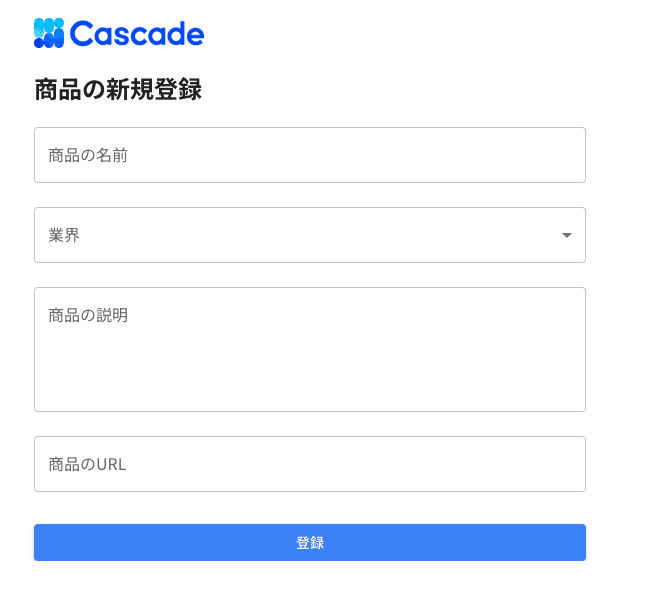
On the product registration screen, enter or select the following items.
• Product Name Enter the name of the product to be registered.
• Industry Select the relevant industry from the list.
• Product Description Enter the product description.
• Product URL Enter the URL of the product page.
2. Register
Once all items are filled in, press [Register]. The product will be registered.