Performance Max Campaigns: Setup, Strategy, and Tips
Performance Max Campaigns: Setup, Strategy, and Tips

"I want to maximize results with Google Ads, but P-Max ads seem difficult and I just don't understand them..."
In recent years, the automation of Google Ads has advanced, and P-Max campaigns have garnered attention. However, many marketers are likely struggling with issues such as "complex settings" and "not achieving results" due to their multifunctionality.
This article will thoroughly explain everything from the basic mechanism of P-Max ads to targeting strategies to maximize results, creative optimization, budget allocation, A/B testing, bidding strategies, and conversion measurement/analysis, incorporating practical know-how and the latest case studies. By reading this article, you should be able to master P-Max ads and make a significant contribution to your business success.
What are P-Max Ads? A Thorough Explanation of the Basic Mechanism and Features
P-Max ads (Performance Max ads) in Google Ads utilize Google's AI to automatically optimize delivery to various ad placements. Compared to conventional campaigns, they significantly reduce the effort needed for setup while aiming for maximum conversions. This article will explain the basic mechanism of P-Max ads, three main features, and the types of businesses that are suitable and unsuitable for P-Max ads.
Understanding the Mechanism of P-Max Ads Through Diagrams!
The mechanism of P-Max ads can be explained as shown in the diagram below.
Step | Description |
|---|---|
1. Setting Goals | Set conversion goals (e.g., sales, lead acquisition, etc.). This serves as the basis for optimization by P-Max ads' AI. |
2. Input Assets | Input advertisement materials (assets) such as text, images, and videos. The AI utilizes these materials in various combinations. |
3. Audience Signals | Input information (audience signals) such as customer lists and website visitor data to promote AI learning. (Optional) |
4. Budget Setting | Set the campaign budget. The AI will optimize to maximize conversions within the budget. |
5. Automated Optimization by AI | Google's AI automatically selects the optimal targeting, bidding, and ad formats based on the information inputted, delivering ads across various placements such as Google Search, YouTube, and the Display Network. |
6. Measuring Results | Measure results such as conversion numbers and cost-effectiveness, and make improvements to assets as necessary. |
Thus, P-Max ads allow Google's AI to optimize automatically, eliminating the need to spend a lot of time on keyword and targeting settings like in traditional campaigns.
Three Features of P-Max Ads and Their Differences from Conventional Campaigns
We will explain the three main features of P-Max ads, clearly illustrating the differences from conventional campaigns.
Feature | Description | Differences from Conventional Campaigns |
|---|---|---|
Complete Automation | Targeting, bidding strategies, and ad format selection are automated by AI. | In conventional campaigns, it was necessary to manually set keywords, targeting, and bidding strategies. |
Diverse Ad Placements | Ads are delivered simultaneously across multiple placements such as Google Search, YouTube, and the Display Network. | Previously, it was necessary to specify ad placements for each campaign. |
Optimization through Machine Learning | AI continuously learns and optimizes delivery to achieve conversion goals. | Previously, operators had to manually adjust based on data. |
These features suggest that P-Max ads hold great potential for efficient ad operation and maximizing conversions.
Businesses Suitable and Unsuitable for P-Max Ads
P-Max ads are not suitable for all businesses. Below are examples of suitable and unsuitable businesses.
Suitable Businesses | Unsuitable Businesses |
|---|---|
Businesses with abundant conversion data | Businesses with little conversion data, lacking sufficient AI learning |
Businesses aiming to appeal to a wide target audience | Businesses seeking to appeal only to a very niche target audience |
Businesses looking to enhance brand awareness while acquiring conversions | Businesses prioritizing ranking for specific keywords |
Businesses wanting to utilize multiple ad placements | Businesses wanting to deliver ads only to specific placements |
When implementing P-Max ads, it's crucial to thoroughly analyze your business characteristics and choose the optimal campaign.
Targeting Strategies to Achieve Results with P-Max Ads 【with Latest Examples】
Effective Targeting Settings Using Asset Groups
P-Max ads automatically deliver ads to the optimal users through Google's AI, but by utilizing asset groups, more effective targeting can be achieved. An asset group is an ad group that combines different creatives and audience signals. For example, by creating asset groups for each product category and preparing images, videos, and texts tailored to each group, it becomes possible to appeal to users' interests and preferences.
For effective asset group settings, the following points are important.
Point | Specific Methods |
|---|---|
Clear Target Setting | Clearly define your target audience based on age, gender, interests, purchase history, etc., and create asset groups accordingly. For example, if targeting apparel products for women in their 20s, use images and videos that incorporate trends appealing to young people. |
Classification by Product Category | Create asset groups for each product category and prepare creatives optimized for each category. For example, for electrical products, create separate asset groups for refrigerators, washing machines, and TVs. |
Considering Customer Behavior Phases | Create asset groups according to customer behavior phases such as awareness, consideration, and purchase, promoting messages tailored to each phase. For instance, use videos that convey the attractiveness of products in the awareness phase, and promote discount campaigns in the purchase phase. |
Regular Review and Optimization | Regularly analyze the performance of asset groups, replacing low-performing assets and continuously using high-performing assets. Additionally, update creatives and messages to align with market trend changes. |
By effectively leveraging asset groups, personalized ad delivery can be achieved, leading to improved conversion rates.
Maximizing Conversions Using Audience Signals
P-Max ads can maximize conversions by setting information called audience signals, which promote AI learning. Audience signals serve as hints for AI to deliver ads to more appropriate users rather than for targeting. Specifically, the following information can be utilized.
Audience Signal | Description | Usage Example |
|---|---|---|
Customer List | Upload lists of existing customers or potential customers. | Retargeting ads for existing customers, appealing to users with a high likelihood of conversion |
Remarketing List | A list of website visitors and users who have taken specific actions. | Reapproaching website visitors, appealing to users who have shown interest in specific products |
Custom Segments | Designate custom segments created in Google Analytics, etc. | Targeting users with specific behavioral patterns, appealing to highly engaged users |
App Users | Designate app users as audience signals. | Deliver ads encouraging in-app purchases, app update notifications |
By effectively combining these audience signals, more accurate ad delivery can be achieved, leading to improved conversion rates. However, it is important to understand that audience signals do not narrow down the delivery target. They are merely supplementary information for AI learning.
Case Studies: Three Companies That Succeeded with Targeting Strategies
Here are three case studies of companies that succeeded with P-Max ads due to effective targeting strategies. Specific numbers cannot be disclosed, so we will explain the core of their strategies.
Industry | Targeting Strategy | Results |
|---|---|---|
E-commerce Site (Apparel) | Created asset groups divided by age groups. Used images and videos that incorporated trends suitable for each age group. Uploaded customer lists and implemented retargeting for existing customers. | Significant improvement in CPA, increase in conversion numbers |
Real Estate Company | Delineated regions and created asset groups. Posted property information tailored to each region. Utilized custom segments to target users who viewed specific pages on the website. | Increase in inquiries, enhanced closing rate |
SaaS Company | Combination of customer lists and remarketing lists for retargeting existing customers and website visitors. Utilized custom segments to target users interested in specific features. | Increase in trial registrations, enhanced contract rate |
These case studies illustrate the importance of effectively utilizing asset groups and appropriately setting audience signals in the targeting strategies of P-Max ads. By understanding your business characteristics and formulating an appropriate strategy, it is possible to maximize the effectiveness of P-Max ads.
Creative Optimization Guide for P-Max Ads 【Techniques to Increase Click-Through Rates】
How to Create Attractive Appeal Axes for High CTR
To achieve a high CTR with P-Max ads, selecting appropriate appeal axes is crucial. Accurately capture user needs and set appeal axes that enhance their willingness to click. The following points are vital for creating effective appeal axes.
Point | Specific Methods |
|---|---|
Focus on Solving User Problems | Clearly identify the problems and concerns users have, presenting your products or services as the solution. For example, "To restaurant owners struggling with attracting customers" or "For those looking to increase sales on e-commerce sites," showing the specific target audience and their issues creates empathy and increases click rates. |
Clearly Show Differentiation Points | Clearly demonstrate your advantages over competitors, emphasizing the benefits for users and enhancing their willingness to click. Effectively promote unique technologies, services, or pricing. |
Present Concrete Benefits | Instead of using abstract expressions, present specific benefits such as "reducing XX," "improving YY," or "achieving ZZ" to clearly convey value to users. Utilizing numeric data can increase persuasiveness. |
Create Urgency and Scarcity | By creating urgency and scarcity, such as "limited time only," "limited quantity," or "special price for now," you can enhance purchasing motivation and increase click rates. However, be careful, as simple presentations can have the opposite effect. |
Make Calls to Action Clear | Incorporate phrases that encourage specific actions from users, such as "Apply now," "More details here," or "Free consultation" to improve click rates. Also consider the color and design of the buttons. |
Based on these points, it's essential to analyze the attributes and needs of your target audience, setting the optimal appeal axes. Conducting A/B tests can help identify more effective appeal axes.
Attracting Users with Engaging Visuals! Points for Creating Images and Videos
Visual elements such as images and videos are extremely important for P-Max ads. High-quality visuals attract users' attention and significantly contribute to improving click rates. Here are points to consider when creating appealing visuals.
Point | Specific Methods |
|---|---|
Use High-Resolution and Clear Images and Videos | Blurry images or low-quality videos can lead to a negative impression and decrease click rates. Use high-resolution and clear images and videos to enhance visual appeal. |
Design According to Target Audience | Design visuals to match the target audience's age, gender, interests, etc., to create empathy and increase click rates. |
Align Appeal Content and Visuals | If the appeal content does not align with the visuals, users may become confused, leading to a decrease in click rates. Choose visuals that effectively express the appeal content. |
Consider the Balance of Text and Visuals | If there is too much text, users may lose the desire to read; conversely, if there are too many images, the content may become unclear. Create visually appealing and easy-to-understand ads by considering the balance of text and visuals. |
Effectively Use Brand Colors and Logos | Effectively using brand colors and logos can strengthen brand image and make it easier for users to remember. |
Prepare various image and video materials, and it is crucial to find the optimal combinations through A/B tests.
How to Effectively Utilize Responsive Display Ads
P-Max ads automatically optimize responsive display ads, flexibly adapting to various devices and ad placements. To utilize them effectively, prepare images and texts in various sizes, making full use of Google's machine learning. Providing diverse assets enables Google to gather more data and realize optimal ad displays.
Specifically, pay attention to the following points.
Prepare Images of Various Aspect Ratios: By providing images of various aspect ratios such as 1:1, 4:3, and 16:9, images optimal for various ad placements will be displayed.
Prepare Multiple Texts: Providing multiple texts such as headlines and descriptions allows Google to choose the optimal text based on users' situations.
Use High-Quality Images and Texts: Low-quality images or texts can lead to decreased click rates. Use high-quality images and texts to create visually appealing ads.
Regularly Review Assets: Regularly review low-performing assets and replace them with new assets to improve advertising effectiveness.
How to Implement Creative A/B Testing That Leads to Increased Click Rates
Creative A/B testing involves preparing multiple creatives and comparing their performance to find the most effective creative. A/B testing is highly important even within P-Max ads. The following points are crucial for effective A/B testing.
Point | Specific Methods |
|---|---|
Narrow Down Elements to Test | If multiple elements are tested at once, it becomes impossible to determine which element affected the outcome. Clearly define elements to test, such as headlines, images, and videos, to measure effectiveness. |
Test for a Sufficient Duration | Short testing periods will not yield statistically significant results. Test for a sufficient duration to obtain reliable data. Generally, a testing period of at least two weeks is necessary. |
Ensure Proper Traffic | Insufficient traffic will prevent statistically significant results. Ensure appropriate budget to guarantee adequate traffic. |
Make Improvements Based on Data Analysis | Analyze test results to ascertain which creatives were effective. Make improvements based on data analysis to further enhance effectiveness. |
Continuously Test | User preferences and market trends are always changing. Continuously conduct A/B tests to ensure optimal creatives are provided. |
Utilize the Google Ads interface to efficiently implement A/B testing. Through regular testing and analysis, continuously strive to improve click rates.
Budget Allocation Strategies for P-Max Ads! Five Steps to Maximize Cost-Effectiveness
P-Max ads are an automated optimization campaign that leverages Google's AI. Therefore, there is no need to set keywords and targeting as meticulously as with traditional Google Ads campaigns. However, the budget allocation strategy is a critical element that can determine success. By properly allocating budgets, it is possible to maximize cost-effectiveness and achieve business objectives.
Five Steps to Find the Optimal Budget Setting
When setting the budget for P-Max ads, it is essential to gradually find the optimal budget rather than immediately setting a high budget. Below are five steps to follow.
Step | Specific Procedure | Point |
|---|---|---|
1. Initial Budget Setting | Set the budget equal to or slightly more than the average budget of existing campaigns. Ensure a minimum operation period of four weeks or more. | It's essential to avoid setting a high budget right away and to adjust while observing. |
2. Performance Monitoring | Check conversion numbers, CPA, ROAS, etc., daily or every few days. | By continuously monitoring performance, you can determine whether budget allocation adjustments are necessary. |
3. Budget Adjustment | If performance is good, increase the budget, and if not, decrease the budget. Pause the campaign if necessary and revisit the strategy. | Adjusting the budget based on data is crucial. |
4. Set Duration | Set a minimum operation period of four weeks or more. | Since P-Max ads require AI learning, measuring effectiveness over a short period is inappropriate. |
5. Goal Setting | Set clear goals (e.g., conversion numbers, ROAS) and base budget allocation on achieving those goals. | Without goal setting, it becomes challenging to measure cost-effectiveness. |
By following these steps, you can optimize the budget for P-Max ads and maximize cost-effectiveness. However, since P-Max ads involve AI-driven automated optimization, fine-tuning is not possible. Therefore, strategic budget allocation based on data analysis is essential.
Tips and Precautions for Setting Target ROAS
Setting a target ROAS (Return on Ad Spend) is essential to maximizing revenue relative to advertising expenses. Keep the following points in mind when setting your target ROAS.
Tips | Precautions |
|---|---|
Set realistic targets based on past data | If the target ROAS is too high, there might be a decrease in conversion numbers |
Consider indicators such as conversion rates and average order value | Avoid focusing solely on target ROAS; assess other metrics comprehensively |
Regularly review target ROAS | Adjust according to market conditions and campaign performance changes |
Ensure sufficient data volume | To enhance target ROAS setting accuracy, an adequate data volume is necessary |
The target ROAS setting significantly impacts the success of P-Max ads. By establishing appropriate target ROAS and continuously monitoring it, you can maximize cost-effectiveness.
How to Automate Budget Allocation with Smart Bidding
P-Max ads can automate budget allocation using smart bidding. Smart bidding is a feature where Google's AI optimizes bid prices in real-time to maximize the number of conversions. Here are points to consider when utilizing smart bidding.
Types of Smart Bidding | Features | Optimal Cases |
|---|---|---|
Target CPA | Set the desired cost per conversion (CPA) | When the goal is to increase conversion numbers |
Target ROAS | Set the desired return on advertising spend (ROAS) | When the goal is to maximize revenue |
Maximize Conversions | Acquire as many conversions as possible | When the goal is to maximize conversions and there is room in the budget |
Utilizing smart bidding can reduce manual effort and enable efficient budget allocation. However, smart bidding is not a panacea; proper settings and monitoring are necessary. By regularly checking performance and making adjustments as needed, more effective operations can be achieved.
A Practical Guide to A/B Testing for Achieving Results with P-Max Ads
What to Test in A/B Testing?
Since P-Max ads are optimized automatically by Google's AI, there are aspects that can be challenging to perceive regarding what is effective. Thus, A/B testing is essential to derive effective solutions. There are many elements to test in A/B testing, but here are some particularly important ones summarized below.
Test Item | Specific Examples | Expected Effects |
|---|---|---|
Creatives | Images, videos, texts, headlines, catchphrases, logos, colors, layouts, etc. | Increased CTR, enhanced engagement, improved conversion rates |
Targeting | Types and combinations of audience signals (customer data, website visitors, YouTube viewers, etc.), regions, devices | Improved reach to specific customer segments, enhanced conversion rates, reduced CPA |
Bidding Strategy | Target CPA, target ROAS, maximize conversions, etc. Comparing automated bidding and manual bidding is also important. | Optimizing cost-effectiveness, maximizing the number of conversions |
Asset Groups | Set different creatives and audience signals for each asset group and compare their effects. | Measuring effectiveness by specific asset combinations, identifying more effective asset combinations |
Landing Pages | Set up pathways to different landing pages and compare conversion rates. | Improved conversion rates, enhanced user experience |
In addition to the above, campaign duration and delivery time slots can also be subjects for A/B testing. It's important to test only one item at a time to avoid confusion about which changes affected the outcomes.
Design and Analysis Methods to Maximize A/B Testing Effectiveness
To maximize the effectiveness of A/B testing, proper design and analysis are essential. Here are effective design and analysis methods for A/B testing.
Effective A/B Testing Design
Set a Clear Hypothesis: Before starting the test, establish a clear hypothesis about what you want to validate. It's important to include specific numerical goals, such as "Version B will yield a higher CTR than Version A."
Check Statistical Significance: To ensure that test results are not random, it's necessary to secure sufficient data volume. Use Google Ads' reporting function to verify the statistical significance.
Set Testing Period: The testing period should be set to ensure sufficient data volume. Too short a duration may not yield statistical significance. A typical estimate is between 2 weeks to 4 weeks.
Split Traffic: During the test period, evenly divide traffic between versions A and B. This allows for a fair comparison of the performance between both versions.
Establish Control Group: In A/B testing, set the current campaign settings as the control group and compare it against the new settings (the test target). This enables accurate measurement of improvement effects.
Effective A/B Testing Analysis
Monitor Key Metrics: Continuously monitor key metrics such as CTR, conversion rates, CPA, and ROAS to evaluate test results.
Confirm Statistical Significance: Ensure that test results are statistically significant. Utilize Google Ads' reporting functions or statistical software.
Interpret Data: Objectively interpret test results to derive improvement measures. Referencing not just numerical data, but also user behavior data can provide deeper insights.
Continuous Improvement: A/B testing is not a one-time endeavor. Continuously undertake improvements based on test results to enhance the performance of P-Max ads.
A/B testing for P-Max ads can be effectively conducted by utilizing Google Ads' reporting function or integrating with Google Analytics. By making use of these tools and regularly conducting tests, you can find optimal settings to maximize advertising effectiveness.
Bid Strategy for P-Max Ads 【Mastering Automated vs Manual Bidding】
Types of Automated Bidding and Their Advantages and Disadvantages
With P-Max ads, you can choose between automated bidding and manual bidding as bidding strategies. Automated bidding allows Google's AI to automatically determine the optimal bid prices, substantially reducing operational effort. On the other hand, manual bidding allows the advertiser to set their own bid prices, enabling finer control. Let's compare their advantages and disadvantages.
Bidding Strategy | Advantages | Disadvantages |
|---|---|---|
Automated Bidding (Target CPA, Target ROAS, etc.) | Substantial reduction in operational effort Google's AI automatically determines optimal bid prices, enabling efficient operations Aims to maximize conversion numbers Accuracy improves over time with learning | Cannot finely control bid prices Performance may be unstable during the learning period If goal setting is inappropriate, effects may not be realized Lack of data can lead to low accuracy |
Manual Bidding | Allows finely controlling bid prices, simplifying budget management Provides detailed insights into campaign status Can adjust bid prices for specific keywords or targets | Requires significant time and effort to operate Needs specialized knowledge and experience Without appropriate bid prices set, effects may not be realized |
The choice between bidding strategies depends on the scale of the business, objectives, and resources. For small businesses or those unable to allocate much time to operations, automated bidding is recommended. Conversely, for larger businesses requiring finer control, manual bidding may be more suitable.
Techniques for Controlling CPA with Manual Bidding
With manual bidding, it is possible to adjust to keep the CPA (Customer Acquisition Cost) close to the target. Various methods include adjusting bid prices, adding/removing keywords, and narrowing targeting. Here are specific techniques.
Adjust Bid Prices: Set higher bid prices for keywords with high conversion rates and lower for those with low rates, optimizing CPA.
Add/Remove Keywords: Remove keywords that do not contribute to conversions, and add new keywords to improve CPA.
Narrow Targeting: Narrow down to higher conversion rate target audiences to reduce unnecessary ad costs and improve CPA.
Improve Ad Copy: Improving click-through rates (CTR) can lead to more conversions within the same budget.
Optimize Landing Pages: Create landing pages that enhance conversion rates to improve CPA.
Manual bidding requires continual monitoring and adjustments of these factors to control CPA. Continuous monitoring and improvement are key to success.
Choosing the Optimal Bidding Strategy Based on Conversion Goals
The optimal bidding strategy varies depending on conversion goals. For example, if the aim is to maximize conversion numbers, target CPA or target ROAS strategies are appropriate. Conversely, if strict CPA management is desired, manual bidding is more suitable.
Conversion Goal | Optimal Bidding Strategy | Notes |
|---|---|---|
Maximizing conversion numbers | Target CPA, Target ROAS | Google's AI will automatically determine the optimal bid prices and maximize conversion numbers. |
Strict CPA Management | Manual Bidding | The advertiser sets their own bid prices to bring CPA close to the target. |
Maximizing ROAS (Advertising Cost Effectiveness) | Target ROAS | By setting a target ROAS, investment efficiency can be enhanced. |
The best bidding strategy depends on your business situation and goals. Understanding the merits and demerits of each and selecting a strategy that best fits your situation is crucial.
Conversion Measurement and Analysis for P-Max Ads 【Ways to Find Improvement Measures】
How to Set Up Conversion Tracking and Precautions
Accurate conversion measurement is critical for maximizing the outcomes of P-Max ads. Conversion tracking is a mechanism for measuring specific actions on websites (e.g., purchases, inquiries, document downloads). In Google Ads, you can track these actions by setting up conversion actions.
The setup steps are as follows.
Log into your Google Ads account.
Select "Tools and Settings" > "Conversions".
Click on "+ Add Conversion Action".
Select the conversion type (website, app, etc.). Choose website and define the conversion you want to measure (e.g., reaching the purchase completion page).
Set conversion name, category, value, etc. Conversion value represents the economic value of each conversion (e.g., product price).
Install the conversion tracking tag on the website. Using Google Tag Manager allows for efficient installation.
Precautions
Item | Precautions |
|---|---|
Conversion Value | By accurately setting conversion values, you can measure ROAS (advertising cost effectiveness) more accurately. |
Tag Installation | Ensure the tags are installed correctly. Installation errors can lead to inaccurate measurements. Utilizing Google Tag Manager is recommended. |
Data Delays | It may take several hours to several days for conversion data to be reflected. |
Privacy | Take care when handling personal information and ensure the settings comply with privacy policies. |
Duplicate Counting | Ensure settings prevent counting multiple conversions by the same user. |
Performing Effectiveness Measurement by Linking with Google Analytics
By linking Google Analytics with Google Ads, more detailed data analysis becomes possible. By establishing link settings, you can examine traffic data (e.g., session numbers, bounce rates, time spent) obtained through Google Analytics in Google Ads, allowing for a multifaceted evaluation of the effectiveness of P-Max ads.
Linking offers the following benefits.
Comparison and analysis of the overall website traffic and traffic from P-Max ads.
Analyzing conversion pathways to derive improvement measures.
Evaluate the effectiveness of P-Max ads in relation to the overall results of the website.
For linked settings with Google Analytics, please refer to the Google Ads Help page.
Three Points for Finding Improvement Measures through Data Analysis
By analyzing conversion data and data from Google Analytics, improvement measures for P-Max ads can be identified. Here are three points for effective analysis.
Point | Specific Analysis Methods | Examples of Improvement Measures |
|---|---|---|
Trends in Conversion Numbers and Factor Analysis | Examine trends in conversion numbers over time and analyze the factors behind increases or decreases. Utilize Google Ads reporting or Google Analytics. | If conversion numbers decline, adjust keywords, targeting, creatives, etc. If they are increasing, analyze the factors and reinforce successful strategies. |
Analyzing Conversion Pathways | Utilize Google Analytics' multi-channel funnel reports to analyze the user behavior leading to conversions. | If certain pathways yield high conversion rates, consider promoting those paths. If low, identify challenges and improve them. |
Audience Analysis | Analyze which audiences contribute to conversions. Use Google Ads reporting or Google Analytics audience reports. | Strengthen advertising delivery to specific audiences or suppress delivery to low-performing audiences. |
By leveraging the insights gained from these analyses, the continuous improvement of P-Max ads will lead to greater success.
Common Questions about P-Max Ad Management
What is the Difference Between P-Max Ads and Smart Shopping Campaigns?
P-Max ads and smart shopping campaigns are both automated campaigns within Google Ads, but there are several important differences.
Item | P-Max Ads | Smart Shopping Campaigns |
|---|---|---|
Delivery Range | Delivered to all ad placements in Google Ads (search, display, YouTube, Discover, Gmail, maps, etc.). | Mainly delivered to shopping ad placements. |
Targeting | Google's AI automatically delivers ads to optimal users. By specifying audience signals, you can promote AI learning. | Automatically delivered to optimal users based on product feed and bidding strategy. |
Creatives | Can flexibly combine various formats of images, videos, and texts. Employs responsive ad format. | Ads are automatically created by Google based on product images and information. |
Management | Manage overall campaign performance but cannot finely control individual ad placements. Asset optimization will be the main operational work. | Manage overall campaign performance but allow more detailed control over individual products or product groups for bidding adjustments. |
Status | Smart shopping campaigns and local campaigns were intended to gradually be integrated into P-Max campaigns in 2022. Currently, many functions have been integrated, but it is not fully replaced yet. | Transition to P-Max is recommended. |
In simple terms, P-Max ads comprise a more comprehensive automated campaign that covers all ad placements in Google Ads, while smart shopping campaigns were more specialized automated campaigns primarily aimed at product sales. Currently, smart shopping campaigns are progressively being incorporated into P-Max ads, and it's recommended to choose P-Max ads for new campaign creation.
What to Do When P-Max Ads Are Not Delivering Results?
If P-Max ads are not delivering results, several causes may be at play. As effective countermeasures, check the following points and attempt improvements.
Have you secured enough budget and time? P-Max ads are optimized based on machine learning, necessitating a certain duration and budget for effectiveness to show. Ensure at least four weeks of delivery and sufficient budget.
Quality and Quantity of Assets: Prepare high-quality and diverse assets (images, videos, texts) in sufficient numbers. Engaging creatives lead to improved click rates.
Setup for Conversion Tracking: Inaccurate conversion tracking can hinder proper AI optimization. Review settings to ensure accurate data acquisition.
Audience Signals: Utilize customer data (remarketing lists, customer lists, etc.) and custom segments to promote AI learning.
Goal Settings: Review whether the settings for target ROAS and target CPA are appropriate. If the target values are too high, it may lead to a decreased number of conversions.
Competitive Analysis: Analyze competitors' advertising strategies and incorporate learnings into your own advertising strategy.
A/B Testing: Change creatives or targeting settings and run A/B tests to isolate effective measures.
If no improvements are observed even after attempting these measures, consulting Google Ads support is advisable.
What Are the Best Tools for Managing P-Max Ads?
Several tools can streamline P-Max ad management and maximize effectiveness. Prominent examples include Google's official tools as well as third-party analytical tools.
Google Ads itself provides features optimized for P-Max ad operation. Actively utilize campaign reports and asset reports to monitor and analyze performance.
Furthermore, linking with Google Analytics is essential. By analyzing website traffic and conversion status in detail, you can measure the effectiveness of P-Max ads and derive improvements. If needing more advanced analysis or automation, consider third-party advertising management tools or data analysis tools.
When selecting tools, it is important to contemplate your budget, operational structure, and analytical skills, and choose the most suitable ones. Before adopting tools, taking advantage of free trials to evaluate usability is advised.
Conclusion: Master P-Max Ads to Lead Your Business to Success!
This article comprehensively discusses everything from the mechanisms of P-Max ads to advanced operational strategies to maximize results, along with frequently asked questions. P-Max ads are a powerful tool that utilizes Google's advanced AI for efficient advertising operations. However, to fully harness their effectiveness, appropriate targeting, creative optimization, budget allocation, and ongoing analysis and improvement are indispensable.
By referencing the strategies detailed in this article, aim to construct optimal P-Max ad operations suited to your business, maximizing effectiveness. Utilizing asset groups, refining audience signals, creating effective creatives, and employing data-driven bidding strategies and analysis are essential steps toward success. By carefully implementing each element, including differentiating between automated and manual bidding, setting target ROAS, and conducting A/B testing, you can achieve cost-effective advertising operations.
P-Max ads continue to evolve. It is crucial to remain flexible in adapting to Google's updates and new features while constantly seeking optimal operational methods. We hope this article serves as a foundation for your success in P-Max ad management.
If you want to acquire more advanced P-Max ad operational know-how or the latest information, please consider pre-registering for Cascade. Cascade offers tools and support to further enhance P-Max ads management, assisting in your business growth.
"I want to maximize results with Google Ads, but P-Max ads seem difficult and I just don't understand them..."
In recent years, the automation of Google Ads has advanced, and P-Max campaigns have garnered attention. However, many marketers are likely struggling with issues such as "complex settings" and "not achieving results" due to their multifunctionality.
This article will thoroughly explain everything from the basic mechanism of P-Max ads to targeting strategies to maximize results, creative optimization, budget allocation, A/B testing, bidding strategies, and conversion measurement/analysis, incorporating practical know-how and the latest case studies. By reading this article, you should be able to master P-Max ads and make a significant contribution to your business success.
What are P-Max Ads? A Thorough Explanation of the Basic Mechanism and Features
P-Max ads (Performance Max ads) in Google Ads utilize Google's AI to automatically optimize delivery to various ad placements. Compared to conventional campaigns, they significantly reduce the effort needed for setup while aiming for maximum conversions. This article will explain the basic mechanism of P-Max ads, three main features, and the types of businesses that are suitable and unsuitable for P-Max ads.
Understanding the Mechanism of P-Max Ads Through Diagrams!
The mechanism of P-Max ads can be explained as shown in the diagram below.
Step | Description |
|---|---|
1. Setting Goals | Set conversion goals (e.g., sales, lead acquisition, etc.). This serves as the basis for optimization by P-Max ads' AI. |
2. Input Assets | Input advertisement materials (assets) such as text, images, and videos. The AI utilizes these materials in various combinations. |
3. Audience Signals | Input information (audience signals) such as customer lists and website visitor data to promote AI learning. (Optional) |
4. Budget Setting | Set the campaign budget. The AI will optimize to maximize conversions within the budget. |
5. Automated Optimization by AI | Google's AI automatically selects the optimal targeting, bidding, and ad formats based on the information inputted, delivering ads across various placements such as Google Search, YouTube, and the Display Network. |
6. Measuring Results | Measure results such as conversion numbers and cost-effectiveness, and make improvements to assets as necessary. |
Thus, P-Max ads allow Google's AI to optimize automatically, eliminating the need to spend a lot of time on keyword and targeting settings like in traditional campaigns.
Three Features of P-Max Ads and Their Differences from Conventional Campaigns
We will explain the three main features of P-Max ads, clearly illustrating the differences from conventional campaigns.
Feature | Description | Differences from Conventional Campaigns |
|---|---|---|
Complete Automation | Targeting, bidding strategies, and ad format selection are automated by AI. | In conventional campaigns, it was necessary to manually set keywords, targeting, and bidding strategies. |
Diverse Ad Placements | Ads are delivered simultaneously across multiple placements such as Google Search, YouTube, and the Display Network. | Previously, it was necessary to specify ad placements for each campaign. |
Optimization through Machine Learning | AI continuously learns and optimizes delivery to achieve conversion goals. | Previously, operators had to manually adjust based on data. |
These features suggest that P-Max ads hold great potential for efficient ad operation and maximizing conversions.
Businesses Suitable and Unsuitable for P-Max Ads
P-Max ads are not suitable for all businesses. Below are examples of suitable and unsuitable businesses.
Suitable Businesses | Unsuitable Businesses |
|---|---|
Businesses with abundant conversion data | Businesses with little conversion data, lacking sufficient AI learning |
Businesses aiming to appeal to a wide target audience | Businesses seeking to appeal only to a very niche target audience |
Businesses looking to enhance brand awareness while acquiring conversions | Businesses prioritizing ranking for specific keywords |
Businesses wanting to utilize multiple ad placements | Businesses wanting to deliver ads only to specific placements |
When implementing P-Max ads, it's crucial to thoroughly analyze your business characteristics and choose the optimal campaign.
Targeting Strategies to Achieve Results with P-Max Ads 【with Latest Examples】
Effective Targeting Settings Using Asset Groups
P-Max ads automatically deliver ads to the optimal users through Google's AI, but by utilizing asset groups, more effective targeting can be achieved. An asset group is an ad group that combines different creatives and audience signals. For example, by creating asset groups for each product category and preparing images, videos, and texts tailored to each group, it becomes possible to appeal to users' interests and preferences.
For effective asset group settings, the following points are important.
Point | Specific Methods |
|---|---|
Clear Target Setting | Clearly define your target audience based on age, gender, interests, purchase history, etc., and create asset groups accordingly. For example, if targeting apparel products for women in their 20s, use images and videos that incorporate trends appealing to young people. |
Classification by Product Category | Create asset groups for each product category and prepare creatives optimized for each category. For example, for electrical products, create separate asset groups for refrigerators, washing machines, and TVs. |
Considering Customer Behavior Phases | Create asset groups according to customer behavior phases such as awareness, consideration, and purchase, promoting messages tailored to each phase. For instance, use videos that convey the attractiveness of products in the awareness phase, and promote discount campaigns in the purchase phase. |
Regular Review and Optimization | Regularly analyze the performance of asset groups, replacing low-performing assets and continuously using high-performing assets. Additionally, update creatives and messages to align with market trend changes. |
By effectively leveraging asset groups, personalized ad delivery can be achieved, leading to improved conversion rates.
Maximizing Conversions Using Audience Signals
P-Max ads can maximize conversions by setting information called audience signals, which promote AI learning. Audience signals serve as hints for AI to deliver ads to more appropriate users rather than for targeting. Specifically, the following information can be utilized.
Audience Signal | Description | Usage Example |
|---|---|---|
Customer List | Upload lists of existing customers or potential customers. | Retargeting ads for existing customers, appealing to users with a high likelihood of conversion |
Remarketing List | A list of website visitors and users who have taken specific actions. | Reapproaching website visitors, appealing to users who have shown interest in specific products |
Custom Segments | Designate custom segments created in Google Analytics, etc. | Targeting users with specific behavioral patterns, appealing to highly engaged users |
App Users | Designate app users as audience signals. | Deliver ads encouraging in-app purchases, app update notifications |
By effectively combining these audience signals, more accurate ad delivery can be achieved, leading to improved conversion rates. However, it is important to understand that audience signals do not narrow down the delivery target. They are merely supplementary information for AI learning.
Case Studies: Three Companies That Succeeded with Targeting Strategies
Here are three case studies of companies that succeeded with P-Max ads due to effective targeting strategies. Specific numbers cannot be disclosed, so we will explain the core of their strategies.
Industry | Targeting Strategy | Results |
|---|---|---|
E-commerce Site (Apparel) | Created asset groups divided by age groups. Used images and videos that incorporated trends suitable for each age group. Uploaded customer lists and implemented retargeting for existing customers. | Significant improvement in CPA, increase in conversion numbers |
Real Estate Company | Delineated regions and created asset groups. Posted property information tailored to each region. Utilized custom segments to target users who viewed specific pages on the website. | Increase in inquiries, enhanced closing rate |
SaaS Company | Combination of customer lists and remarketing lists for retargeting existing customers and website visitors. Utilized custom segments to target users interested in specific features. | Increase in trial registrations, enhanced contract rate |
These case studies illustrate the importance of effectively utilizing asset groups and appropriately setting audience signals in the targeting strategies of P-Max ads. By understanding your business characteristics and formulating an appropriate strategy, it is possible to maximize the effectiveness of P-Max ads.
Creative Optimization Guide for P-Max Ads 【Techniques to Increase Click-Through Rates】
How to Create Attractive Appeal Axes for High CTR
To achieve a high CTR with P-Max ads, selecting appropriate appeal axes is crucial. Accurately capture user needs and set appeal axes that enhance their willingness to click. The following points are vital for creating effective appeal axes.
Point | Specific Methods |
|---|---|
Focus on Solving User Problems | Clearly identify the problems and concerns users have, presenting your products or services as the solution. For example, "To restaurant owners struggling with attracting customers" or "For those looking to increase sales on e-commerce sites," showing the specific target audience and their issues creates empathy and increases click rates. |
Clearly Show Differentiation Points | Clearly demonstrate your advantages over competitors, emphasizing the benefits for users and enhancing their willingness to click. Effectively promote unique technologies, services, or pricing. |
Present Concrete Benefits | Instead of using abstract expressions, present specific benefits such as "reducing XX," "improving YY," or "achieving ZZ" to clearly convey value to users. Utilizing numeric data can increase persuasiveness. |
Create Urgency and Scarcity | By creating urgency and scarcity, such as "limited time only," "limited quantity," or "special price for now," you can enhance purchasing motivation and increase click rates. However, be careful, as simple presentations can have the opposite effect. |
Make Calls to Action Clear | Incorporate phrases that encourage specific actions from users, such as "Apply now," "More details here," or "Free consultation" to improve click rates. Also consider the color and design of the buttons. |
Based on these points, it's essential to analyze the attributes and needs of your target audience, setting the optimal appeal axes. Conducting A/B tests can help identify more effective appeal axes.
Attracting Users with Engaging Visuals! Points for Creating Images and Videos
Visual elements such as images and videos are extremely important for P-Max ads. High-quality visuals attract users' attention and significantly contribute to improving click rates. Here are points to consider when creating appealing visuals.
Point | Specific Methods |
|---|---|
Use High-Resolution and Clear Images and Videos | Blurry images or low-quality videos can lead to a negative impression and decrease click rates. Use high-resolution and clear images and videos to enhance visual appeal. |
Design According to Target Audience | Design visuals to match the target audience's age, gender, interests, etc., to create empathy and increase click rates. |
Align Appeal Content and Visuals | If the appeal content does not align with the visuals, users may become confused, leading to a decrease in click rates. Choose visuals that effectively express the appeal content. |
Consider the Balance of Text and Visuals | If there is too much text, users may lose the desire to read; conversely, if there are too many images, the content may become unclear. Create visually appealing and easy-to-understand ads by considering the balance of text and visuals. |
Effectively Use Brand Colors and Logos | Effectively using brand colors and logos can strengthen brand image and make it easier for users to remember. |
Prepare various image and video materials, and it is crucial to find the optimal combinations through A/B tests.
How to Effectively Utilize Responsive Display Ads
P-Max ads automatically optimize responsive display ads, flexibly adapting to various devices and ad placements. To utilize them effectively, prepare images and texts in various sizes, making full use of Google's machine learning. Providing diverse assets enables Google to gather more data and realize optimal ad displays.
Specifically, pay attention to the following points.
Prepare Images of Various Aspect Ratios: By providing images of various aspect ratios such as 1:1, 4:3, and 16:9, images optimal for various ad placements will be displayed.
Prepare Multiple Texts: Providing multiple texts such as headlines and descriptions allows Google to choose the optimal text based on users' situations.
Use High-Quality Images and Texts: Low-quality images or texts can lead to decreased click rates. Use high-quality images and texts to create visually appealing ads.
Regularly Review Assets: Regularly review low-performing assets and replace them with new assets to improve advertising effectiveness.
How to Implement Creative A/B Testing That Leads to Increased Click Rates
Creative A/B testing involves preparing multiple creatives and comparing their performance to find the most effective creative. A/B testing is highly important even within P-Max ads. The following points are crucial for effective A/B testing.
Point | Specific Methods |
|---|---|
Narrow Down Elements to Test | If multiple elements are tested at once, it becomes impossible to determine which element affected the outcome. Clearly define elements to test, such as headlines, images, and videos, to measure effectiveness. |
Test for a Sufficient Duration | Short testing periods will not yield statistically significant results. Test for a sufficient duration to obtain reliable data. Generally, a testing period of at least two weeks is necessary. |
Ensure Proper Traffic | Insufficient traffic will prevent statistically significant results. Ensure appropriate budget to guarantee adequate traffic. |
Make Improvements Based on Data Analysis | Analyze test results to ascertain which creatives were effective. Make improvements based on data analysis to further enhance effectiveness. |
Continuously Test | User preferences and market trends are always changing. Continuously conduct A/B tests to ensure optimal creatives are provided. |
Utilize the Google Ads interface to efficiently implement A/B testing. Through regular testing and analysis, continuously strive to improve click rates.
Budget Allocation Strategies for P-Max Ads! Five Steps to Maximize Cost-Effectiveness
P-Max ads are an automated optimization campaign that leverages Google's AI. Therefore, there is no need to set keywords and targeting as meticulously as with traditional Google Ads campaigns. However, the budget allocation strategy is a critical element that can determine success. By properly allocating budgets, it is possible to maximize cost-effectiveness and achieve business objectives.
Five Steps to Find the Optimal Budget Setting
When setting the budget for P-Max ads, it is essential to gradually find the optimal budget rather than immediately setting a high budget. Below are five steps to follow.
Step | Specific Procedure | Point |
|---|---|---|
1. Initial Budget Setting | Set the budget equal to or slightly more than the average budget of existing campaigns. Ensure a minimum operation period of four weeks or more. | It's essential to avoid setting a high budget right away and to adjust while observing. |
2. Performance Monitoring | Check conversion numbers, CPA, ROAS, etc., daily or every few days. | By continuously monitoring performance, you can determine whether budget allocation adjustments are necessary. |
3. Budget Adjustment | If performance is good, increase the budget, and if not, decrease the budget. Pause the campaign if necessary and revisit the strategy. | Adjusting the budget based on data is crucial. |
4. Set Duration | Set a minimum operation period of four weeks or more. | Since P-Max ads require AI learning, measuring effectiveness over a short period is inappropriate. |
5. Goal Setting | Set clear goals (e.g., conversion numbers, ROAS) and base budget allocation on achieving those goals. | Without goal setting, it becomes challenging to measure cost-effectiveness. |
By following these steps, you can optimize the budget for P-Max ads and maximize cost-effectiveness. However, since P-Max ads involve AI-driven automated optimization, fine-tuning is not possible. Therefore, strategic budget allocation based on data analysis is essential.
Tips and Precautions for Setting Target ROAS
Setting a target ROAS (Return on Ad Spend) is essential to maximizing revenue relative to advertising expenses. Keep the following points in mind when setting your target ROAS.
Tips | Precautions |
|---|---|
Set realistic targets based on past data | If the target ROAS is too high, there might be a decrease in conversion numbers |
Consider indicators such as conversion rates and average order value | Avoid focusing solely on target ROAS; assess other metrics comprehensively |
Regularly review target ROAS | Adjust according to market conditions and campaign performance changes |
Ensure sufficient data volume | To enhance target ROAS setting accuracy, an adequate data volume is necessary |
The target ROAS setting significantly impacts the success of P-Max ads. By establishing appropriate target ROAS and continuously monitoring it, you can maximize cost-effectiveness.
How to Automate Budget Allocation with Smart Bidding
P-Max ads can automate budget allocation using smart bidding. Smart bidding is a feature where Google's AI optimizes bid prices in real-time to maximize the number of conversions. Here are points to consider when utilizing smart bidding.
Types of Smart Bidding | Features | Optimal Cases |
|---|---|---|
Target CPA | Set the desired cost per conversion (CPA) | When the goal is to increase conversion numbers |
Target ROAS | Set the desired return on advertising spend (ROAS) | When the goal is to maximize revenue |
Maximize Conversions | Acquire as many conversions as possible | When the goal is to maximize conversions and there is room in the budget |
Utilizing smart bidding can reduce manual effort and enable efficient budget allocation. However, smart bidding is not a panacea; proper settings and monitoring are necessary. By regularly checking performance and making adjustments as needed, more effective operations can be achieved.
A Practical Guide to A/B Testing for Achieving Results with P-Max Ads
What to Test in A/B Testing?
Since P-Max ads are optimized automatically by Google's AI, there are aspects that can be challenging to perceive regarding what is effective. Thus, A/B testing is essential to derive effective solutions. There are many elements to test in A/B testing, but here are some particularly important ones summarized below.
Test Item | Specific Examples | Expected Effects |
|---|---|---|
Creatives | Images, videos, texts, headlines, catchphrases, logos, colors, layouts, etc. | Increased CTR, enhanced engagement, improved conversion rates |
Targeting | Types and combinations of audience signals (customer data, website visitors, YouTube viewers, etc.), regions, devices | Improved reach to specific customer segments, enhanced conversion rates, reduced CPA |
Bidding Strategy | Target CPA, target ROAS, maximize conversions, etc. Comparing automated bidding and manual bidding is also important. | Optimizing cost-effectiveness, maximizing the number of conversions |
Asset Groups | Set different creatives and audience signals for each asset group and compare their effects. | Measuring effectiveness by specific asset combinations, identifying more effective asset combinations |
Landing Pages | Set up pathways to different landing pages and compare conversion rates. | Improved conversion rates, enhanced user experience |
In addition to the above, campaign duration and delivery time slots can also be subjects for A/B testing. It's important to test only one item at a time to avoid confusion about which changes affected the outcomes.
Design and Analysis Methods to Maximize A/B Testing Effectiveness
To maximize the effectiveness of A/B testing, proper design and analysis are essential. Here are effective design and analysis methods for A/B testing.
Effective A/B Testing Design
Set a Clear Hypothesis: Before starting the test, establish a clear hypothesis about what you want to validate. It's important to include specific numerical goals, such as "Version B will yield a higher CTR than Version A."
Check Statistical Significance: To ensure that test results are not random, it's necessary to secure sufficient data volume. Use Google Ads' reporting function to verify the statistical significance.
Set Testing Period: The testing period should be set to ensure sufficient data volume. Too short a duration may not yield statistical significance. A typical estimate is between 2 weeks to 4 weeks.
Split Traffic: During the test period, evenly divide traffic between versions A and B. This allows for a fair comparison of the performance between both versions.
Establish Control Group: In A/B testing, set the current campaign settings as the control group and compare it against the new settings (the test target). This enables accurate measurement of improvement effects.
Effective A/B Testing Analysis
Monitor Key Metrics: Continuously monitor key metrics such as CTR, conversion rates, CPA, and ROAS to evaluate test results.
Confirm Statistical Significance: Ensure that test results are statistically significant. Utilize Google Ads' reporting functions or statistical software.
Interpret Data: Objectively interpret test results to derive improvement measures. Referencing not just numerical data, but also user behavior data can provide deeper insights.
Continuous Improvement: A/B testing is not a one-time endeavor. Continuously undertake improvements based on test results to enhance the performance of P-Max ads.
A/B testing for P-Max ads can be effectively conducted by utilizing Google Ads' reporting function or integrating with Google Analytics. By making use of these tools and regularly conducting tests, you can find optimal settings to maximize advertising effectiveness.
Bid Strategy for P-Max Ads 【Mastering Automated vs Manual Bidding】
Types of Automated Bidding and Their Advantages and Disadvantages
With P-Max ads, you can choose between automated bidding and manual bidding as bidding strategies. Automated bidding allows Google's AI to automatically determine the optimal bid prices, substantially reducing operational effort. On the other hand, manual bidding allows the advertiser to set their own bid prices, enabling finer control. Let's compare their advantages and disadvantages.
Bidding Strategy | Advantages | Disadvantages |
|---|---|---|
Automated Bidding (Target CPA, Target ROAS, etc.) | Substantial reduction in operational effort Google's AI automatically determines optimal bid prices, enabling efficient operations Aims to maximize conversion numbers Accuracy improves over time with learning | Cannot finely control bid prices Performance may be unstable during the learning period If goal setting is inappropriate, effects may not be realized Lack of data can lead to low accuracy |
Manual Bidding | Allows finely controlling bid prices, simplifying budget management Provides detailed insights into campaign status Can adjust bid prices for specific keywords or targets | Requires significant time and effort to operate Needs specialized knowledge and experience Without appropriate bid prices set, effects may not be realized |
The choice between bidding strategies depends on the scale of the business, objectives, and resources. For small businesses or those unable to allocate much time to operations, automated bidding is recommended. Conversely, for larger businesses requiring finer control, manual bidding may be more suitable.
Techniques for Controlling CPA with Manual Bidding
With manual bidding, it is possible to adjust to keep the CPA (Customer Acquisition Cost) close to the target. Various methods include adjusting bid prices, adding/removing keywords, and narrowing targeting. Here are specific techniques.
Adjust Bid Prices: Set higher bid prices for keywords with high conversion rates and lower for those with low rates, optimizing CPA.
Add/Remove Keywords: Remove keywords that do not contribute to conversions, and add new keywords to improve CPA.
Narrow Targeting: Narrow down to higher conversion rate target audiences to reduce unnecessary ad costs and improve CPA.
Improve Ad Copy: Improving click-through rates (CTR) can lead to more conversions within the same budget.
Optimize Landing Pages: Create landing pages that enhance conversion rates to improve CPA.
Manual bidding requires continual monitoring and adjustments of these factors to control CPA. Continuous monitoring and improvement are key to success.
Choosing the Optimal Bidding Strategy Based on Conversion Goals
The optimal bidding strategy varies depending on conversion goals. For example, if the aim is to maximize conversion numbers, target CPA or target ROAS strategies are appropriate. Conversely, if strict CPA management is desired, manual bidding is more suitable.
Conversion Goal | Optimal Bidding Strategy | Notes |
|---|---|---|
Maximizing conversion numbers | Target CPA, Target ROAS | Google's AI will automatically determine the optimal bid prices and maximize conversion numbers. |
Strict CPA Management | Manual Bidding | The advertiser sets their own bid prices to bring CPA close to the target. |
Maximizing ROAS (Advertising Cost Effectiveness) | Target ROAS | By setting a target ROAS, investment efficiency can be enhanced. |
The best bidding strategy depends on your business situation and goals. Understanding the merits and demerits of each and selecting a strategy that best fits your situation is crucial.
Conversion Measurement and Analysis for P-Max Ads 【Ways to Find Improvement Measures】
How to Set Up Conversion Tracking and Precautions
Accurate conversion measurement is critical for maximizing the outcomes of P-Max ads. Conversion tracking is a mechanism for measuring specific actions on websites (e.g., purchases, inquiries, document downloads). In Google Ads, you can track these actions by setting up conversion actions.
The setup steps are as follows.
Log into your Google Ads account.
Select "Tools and Settings" > "Conversions".
Click on "+ Add Conversion Action".
Select the conversion type (website, app, etc.). Choose website and define the conversion you want to measure (e.g., reaching the purchase completion page).
Set conversion name, category, value, etc. Conversion value represents the economic value of each conversion (e.g., product price).
Install the conversion tracking tag on the website. Using Google Tag Manager allows for efficient installation.
Precautions
Item | Precautions |
|---|---|
Conversion Value | By accurately setting conversion values, you can measure ROAS (advertising cost effectiveness) more accurately. |
Tag Installation | Ensure the tags are installed correctly. Installation errors can lead to inaccurate measurements. Utilizing Google Tag Manager is recommended. |
Data Delays | It may take several hours to several days for conversion data to be reflected. |
Privacy | Take care when handling personal information and ensure the settings comply with privacy policies. |
Duplicate Counting | Ensure settings prevent counting multiple conversions by the same user. |
Performing Effectiveness Measurement by Linking with Google Analytics
By linking Google Analytics with Google Ads, more detailed data analysis becomes possible. By establishing link settings, you can examine traffic data (e.g., session numbers, bounce rates, time spent) obtained through Google Analytics in Google Ads, allowing for a multifaceted evaluation of the effectiveness of P-Max ads.
Linking offers the following benefits.
Comparison and analysis of the overall website traffic and traffic from P-Max ads.
Analyzing conversion pathways to derive improvement measures.
Evaluate the effectiveness of P-Max ads in relation to the overall results of the website.
For linked settings with Google Analytics, please refer to the Google Ads Help page.
Three Points for Finding Improvement Measures through Data Analysis
By analyzing conversion data and data from Google Analytics, improvement measures for P-Max ads can be identified. Here are three points for effective analysis.
Point | Specific Analysis Methods | Examples of Improvement Measures |
|---|---|---|
Trends in Conversion Numbers and Factor Analysis | Examine trends in conversion numbers over time and analyze the factors behind increases or decreases. Utilize Google Ads reporting or Google Analytics. | If conversion numbers decline, adjust keywords, targeting, creatives, etc. If they are increasing, analyze the factors and reinforce successful strategies. |
Analyzing Conversion Pathways | Utilize Google Analytics' multi-channel funnel reports to analyze the user behavior leading to conversions. | If certain pathways yield high conversion rates, consider promoting those paths. If low, identify challenges and improve them. |
Audience Analysis | Analyze which audiences contribute to conversions. Use Google Ads reporting or Google Analytics audience reports. | Strengthen advertising delivery to specific audiences or suppress delivery to low-performing audiences. |
By leveraging the insights gained from these analyses, the continuous improvement of P-Max ads will lead to greater success.
Common Questions about P-Max Ad Management
What is the Difference Between P-Max Ads and Smart Shopping Campaigns?
P-Max ads and smart shopping campaigns are both automated campaigns within Google Ads, but there are several important differences.
Item | P-Max Ads | Smart Shopping Campaigns |
|---|---|---|
Delivery Range | Delivered to all ad placements in Google Ads (search, display, YouTube, Discover, Gmail, maps, etc.). | Mainly delivered to shopping ad placements. |
Targeting | Google's AI automatically delivers ads to optimal users. By specifying audience signals, you can promote AI learning. | Automatically delivered to optimal users based on product feed and bidding strategy. |
Creatives | Can flexibly combine various formats of images, videos, and texts. Employs responsive ad format. | Ads are automatically created by Google based on product images and information. |
Management | Manage overall campaign performance but cannot finely control individual ad placements. Asset optimization will be the main operational work. | Manage overall campaign performance but allow more detailed control over individual products or product groups for bidding adjustments. |
Status | Smart shopping campaigns and local campaigns were intended to gradually be integrated into P-Max campaigns in 2022. Currently, many functions have been integrated, but it is not fully replaced yet. | Transition to P-Max is recommended. |
In simple terms, P-Max ads comprise a more comprehensive automated campaign that covers all ad placements in Google Ads, while smart shopping campaigns were more specialized automated campaigns primarily aimed at product sales. Currently, smart shopping campaigns are progressively being incorporated into P-Max ads, and it's recommended to choose P-Max ads for new campaign creation.
What to Do When P-Max Ads Are Not Delivering Results?
If P-Max ads are not delivering results, several causes may be at play. As effective countermeasures, check the following points and attempt improvements.
Have you secured enough budget and time? P-Max ads are optimized based on machine learning, necessitating a certain duration and budget for effectiveness to show. Ensure at least four weeks of delivery and sufficient budget.
Quality and Quantity of Assets: Prepare high-quality and diverse assets (images, videos, texts) in sufficient numbers. Engaging creatives lead to improved click rates.
Setup for Conversion Tracking: Inaccurate conversion tracking can hinder proper AI optimization. Review settings to ensure accurate data acquisition.
Audience Signals: Utilize customer data (remarketing lists, customer lists, etc.) and custom segments to promote AI learning.
Goal Settings: Review whether the settings for target ROAS and target CPA are appropriate. If the target values are too high, it may lead to a decreased number of conversions.
Competitive Analysis: Analyze competitors' advertising strategies and incorporate learnings into your own advertising strategy.
A/B Testing: Change creatives or targeting settings and run A/B tests to isolate effective measures.
If no improvements are observed even after attempting these measures, consulting Google Ads support is advisable.
What Are the Best Tools for Managing P-Max Ads?
Several tools can streamline P-Max ad management and maximize effectiveness. Prominent examples include Google's official tools as well as third-party analytical tools.
Google Ads itself provides features optimized for P-Max ad operation. Actively utilize campaign reports and asset reports to monitor and analyze performance.
Furthermore, linking with Google Analytics is essential. By analyzing website traffic and conversion status in detail, you can measure the effectiveness of P-Max ads and derive improvements. If needing more advanced analysis or automation, consider third-party advertising management tools or data analysis tools.
When selecting tools, it is important to contemplate your budget, operational structure, and analytical skills, and choose the most suitable ones. Before adopting tools, taking advantage of free trials to evaluate usability is advised.
Conclusion: Master P-Max Ads to Lead Your Business to Success!
This article comprehensively discusses everything from the mechanisms of P-Max ads to advanced operational strategies to maximize results, along with frequently asked questions. P-Max ads are a powerful tool that utilizes Google's advanced AI for efficient advertising operations. However, to fully harness their effectiveness, appropriate targeting, creative optimization, budget allocation, and ongoing analysis and improvement are indispensable.
By referencing the strategies detailed in this article, aim to construct optimal P-Max ad operations suited to your business, maximizing effectiveness. Utilizing asset groups, refining audience signals, creating effective creatives, and employing data-driven bidding strategies and analysis are essential steps toward success. By carefully implementing each element, including differentiating between automated and manual bidding, setting target ROAS, and conducting A/B testing, you can achieve cost-effective advertising operations.
P-Max ads continue to evolve. It is crucial to remain flexible in adapting to Google's updates and new features while constantly seeking optimal operational methods. We hope this article serves as a foundation for your success in P-Max ad management.
If you want to acquire more advanced P-Max ad operational know-how or the latest information, please consider pre-registering for Cascade. Cascade offers tools and support to further enhance P-Max ads management, assisting in your business growth.
\FreeDownload Now/
\FreeDownload Now/
\FreeDownload Now/
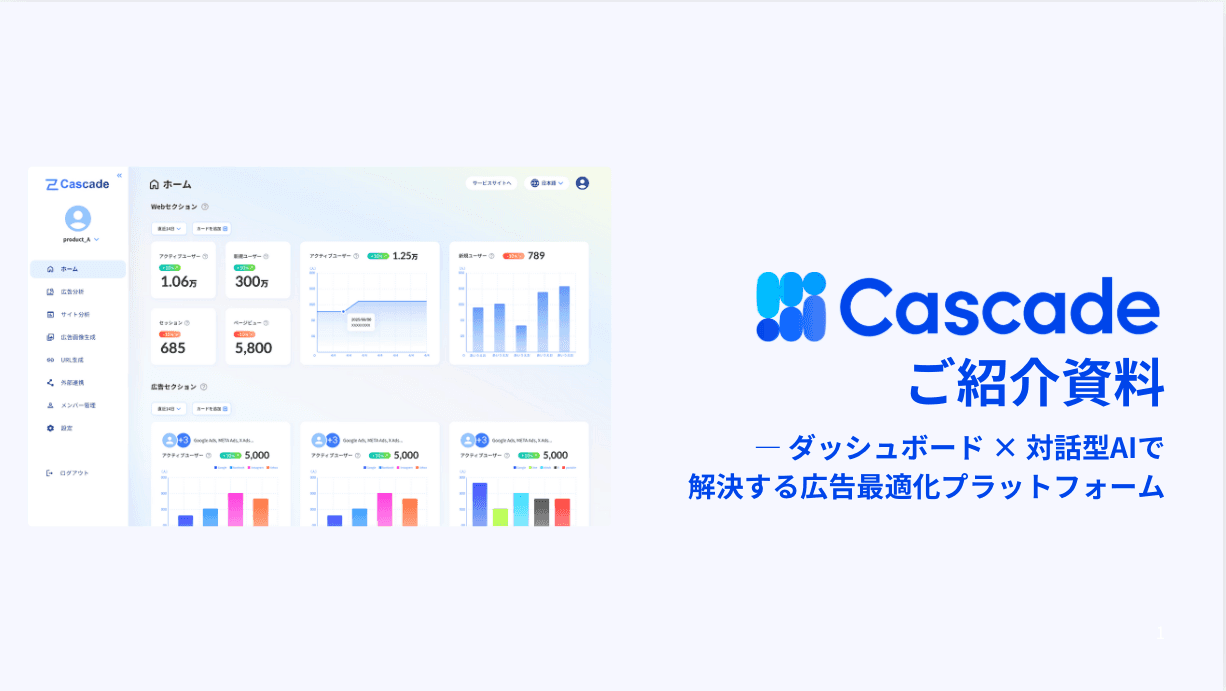
Table of Contents

© 2025 Cascade Inc, All Rights Reserved.

© 2025 Cascade Inc, All Rights Reserved.
© 2025 Cascade Inc, All Rights Reserved.