What is GDN? How to set up Google Display Network campaigns to double sales

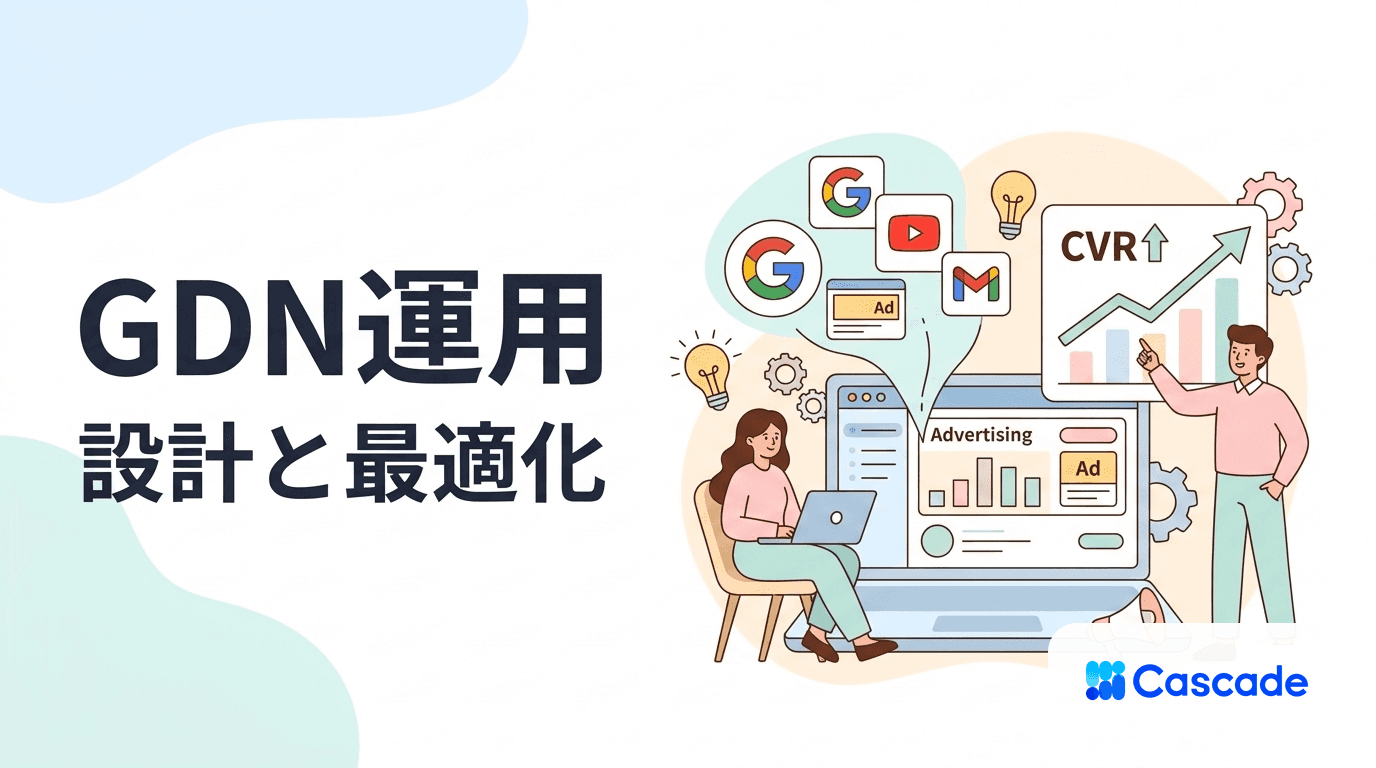
GDN (Google Display Network) is a Google Ads service that lets you deliver image and video ads across YouTube, Gmail, and more than 2 million websites. With proper settings, it is possible to improve average CVR by 1.5–2x, enabling you to reach potential customers who cannot be acquired through search ads alone.
What Is GDN? Basic Concept of the Google Display Network
GDN is a display ad delivery network operated by Google, designed to serve ads across Google-related services such as YouTube, Gmail, and Google Play, as well as over 2 million partner sites.
Three Categories of GDN Placements
Google sites: Services with over 2 billion monthly users, including YouTube, Gmail, Google Play, and Google Maps
Google partner sites: Major media sites such as Asahi Shimbun Digital, Tabelog, and Cookpad
Mobile apps: In-app ad inventory for Android and iOS apps (game apps account for about 40% of delivery volume)
List of GDN Ad Formats
Format | Recommended Size | Features | Average CVR |
|---|---|---|---|
Responsive display ads | Auto-adjusted | Google-recommended, auto-optimized | 1.8% |
Image ads | 300×250px | High design flexibility | 1.2% |
Video ads | 16:9 ratio | High engagement rate | 2.3% |
Text ads | Text only | Lowest production cost | 0.9% |
Recommended reading
This article explains practical know-how for display advertising in general and how to use channels other than GDN appropriately.
Benefits of GDN Operations and Differences from Other Channels
The biggest advantages of GDN are that it can reach potential customers before they perform search behavior, and that Google’s machine-learning-based auto-optimization makes it easier even for beginners to achieve steady results.
Search Ads vs GDN: Feature Comparison
Item | Search Ads | GDN |
|---|---|---|
Target | In-market customers (with search intent) | Potential customers (awareness to consideration stage) |
Average CVR | 3.75% | 0.77% |
Average CPC | ¥200–¥500 | ¥50–¥150 |
Reach | Limited | 2 million sites, 2 billion users |
Creative | Text-centered | Visual appeal through images/videos |
Differences from Other Display Ad Platforms
Facebook Ads: High targeting precision through detailed user-attribute data, but placements are limited to Facebook, Instagram, and Messenger
Yahoo! Display Ads: Distributed on major Japanese sites such as Yahoo! News, with strong reach among users in their 40s and older
Twitter Ads: Real-time nature and viral effects can be expected, but performance tends to be weaker for B2B and e-commerce products
How to Set Effective GDN Targeting
The basics of successful GDN targeting are combining three axes: “audience,” “placement,” and “keywords.” Beginners in particular should start with automated targeting and gradually transition to manual settings.
How to Use Six Types of Audience Targeting
Remarketing: Re-approaching site visitors (average CVR improves by 2.3x)
Customer Match: Similar-user targeting using customer lists
Similar Audiences: Automatically discovers new users with traits similar to existing customers
Intent Audiences: Users who searched for specific products/services
Affinity Categories: Segments based on hobbies/interests (e.g., cooking enthusiasts, car enthusiasts)
Life Events: Delivery timed to events like marriage, moving, or job changes
According to Google, ad campaigns with proper audience settings have been confirmed to improve CVR by an average of 1.7x and reduce CPA by 25% compared with campaigns without such settings.
Improve Delivery Quality with Placement Exclusions
Automatic exclusions: Exclude categories such as game apps, video sites (excluding YouTube), and adult sites based on industry needs
Individual site exclusions: Identify non-converting sites from delivery reports and exclude them manually
Category exclusions: Exclude low-quality page categories such as “parked domains” and “error pages”
GDN Ad Creation and Optimization Techniques
The most important factors in GDN ads are preparing assets for responsive display ads and conducting A/B tests on headlines and descriptions. Since Google’s machine learning automatically determines the best combinations, preparing diverse patterns is key to success.
Preparing Assets for Responsive Display Ads
Images: At least 5 each of three formats—landscape (1200×628px), portrait (960×1200px), and square (1200×1200px)
Headlines: 5 or more variations within 30 characters (e.g., product name + benefit, numeric appeal, question format)
Descriptions: 5 or more variations within 90 characters (including features, benefits, and CTA)
Logo: Square (1200×1200px) and landscape (1200×300px); transparent-background PNG recommended
Key Points for Creative Optimization
Element | High-performing tendency | Elements to avoid |
|---|---|---|
Image | Visible facial expressions, product-use scenes | Too much text, dark tones |
Headline | Specific numbers, urgency, clearly stated benefits | Abstract wording, industry jargon |
Description | Action-driving CTA, exclusivity | Overly long descriptions, multiple claims |
Color usage | Consistent brand colors, strong contrast | Gaudy colors, hard-to-read color schemes |
Benefits of Using Video Ads
Higher engagement: Click-through rate improves by an average of 1.8x compared with static images
Memory retention: 65% of video viewers remember the brand name (vs. 30% for static images)
YouTube distribution: 6-second bumper ads create brand awareness through forced viewing
Recommended reading
What Is Creative? How to Generate Ideas That Drive Advertising Results
This article explains idea-generation methods and concrete production processes for effective creatives you can use in GDN.
Operational Techniques to Improve GDN Cost Effectiveness
To maximize cost effectiveness in GDN operations, selecting the right bidding strategy and setting frequency caps are crucial. In particular, “Target CPA” requires at least 10 conversions in the past 30 days, so start with “Maximize clicks” in the initial phase.
Guidelines for Selecting GDN Bidding Strategies
Maximize clicks: Initial awareness expansion and data accumulation phase (when CV is low)
Target CPA: Switch after achieving 30+ CV per month (recommended: start at existing CPA × 1.2)
Maximize conversions: Revenue maximization when sufficient budget is available
Target ROAS: For e-commerce/mail-order businesses prioritizing profit margin (100+ CV recommended)
Reduce Wasted Clicks with Frequency Caps
Recommended setting: Up to 3 impressions per user per day, and up to 5 impressions over 7 days
Remarketing: Because more frequent contact is effective, up to 5/day and 10/7 days
Awareness campaigns: Set looser limits to prioritize broad reach (5/day, 20/30 days)
Identify Improvement Points Through Report Analysis
Analysis axis | Improvement action | Decision criteria |
|---|---|---|
By device | Bid adjustments / exclusions | If CVR is below 50% of average, set bid to -30% |
By time slot | Adjust delivery schedule | Pause delivery in low-CVR time slots |
By audience | Reallocate budget | If CPA exceeds 150% of target, reduce budget |
By placement | Exclusions / bid adjustments | Exclude when CV is 0 and impressions exceed 1,000 |
According to research by digital marketing research firm eMarketer, companies that set appropriate frequency caps reduced ad spend by an average of 18% while improving CVR by 12%, compared with before implementation.
Frequently Asked Questions
What is the minimum budget to start GDN?
You can start GDN with a daily budget of ¥300, but at least ¥50,000 per month is recommended for effective operation. Machine-learning optimization requires sufficient data accumulation, and with a small budget, the learning period tends to become longer and CPA improvements are delayed.
What is the difference between GDN and YouTube ads?
GDN is display advertising delivered across 2 million sites including YouTube, while YouTube ads are specialized for the video platform. GDN is suited for expanding awareness among potential customers, while YouTube ads excel at deep messaging through video content.
Why are GDN ads not showing, and how can this be fixed?
The four main causes are: (1) disapproved review status, (2) insufficient budget, (3) overly narrow targeting settings, and (4) bid price set too low. Check status in Google Ads, then gradually increase budget and bids to expand impression opportunities.
What is the average CVR for GDN and how should improvement goals be set?
The industry-average CVR for GDN is 0.77%, but realistic targets are 0.3–0.5% for B2B products and 0.8–1.2% for e-commerce products. As a guideline, aim for 2–3% in remarketing and 0.5–1% in new acquisition, then raise targets gradually based on three months of operational data.
What should you do if conversions are not occurring in GDN?
Proceed in this order: (1) review audience settings (add search-keyword-based intent audiences), (2) strengthen creative messaging (clarify CTA, add offers), (3) improve landing pages, and (4) reconsider conversion definitions. LP improvement is especially important because bounce rates from GDN traffic are typically 60–70%, making first-view optimization essential.
Summary
With proper setup, GDN is a powerful tool that can expand sales and reach potential customers who cannot be reached through search ads alone. The three keys to success are: (1) step-by-step bidding strategy changes, (2) preparation of diverse creatives, and (3) a data-driven improvement cycle.
What is especially important is understanding customer behavior through funnel analysis and conducting detailed effectiveness measurement using GA4. Beginners should start with automated targeting settings, then move to manual optimization after data accumulation to steadily improve results while making full use of GDN’s machine-learning capabilities.
GDN (Google Display Network) is a Google Ads service that lets you deliver image and video ads across YouTube, Gmail, and more than 2 million websites. With proper settings, it is possible to improve average CVR by 1.5–2x, enabling you to reach potential customers who cannot be acquired through search ads alone.
What Is GDN? Basic Concept of the Google Display Network
GDN is a display ad delivery network operated by Google, designed to serve ads across Google-related services such as YouTube, Gmail, and Google Play, as well as over 2 million partner sites.
Three Categories of GDN Placements
Google sites: Services with over 2 billion monthly users, including YouTube, Gmail, Google Play, and Google Maps
Google partner sites: Major media sites such as Asahi Shimbun Digital, Tabelog, and Cookpad
Mobile apps: In-app ad inventory for Android and iOS apps (game apps account for about 40% of delivery volume)
List of GDN Ad Formats
Format | Recommended Size | Features | Average CVR |
|---|---|---|---|
Responsive display ads | Auto-adjusted | Google-recommended, auto-optimized | 1.8% |
Image ads | 300×250px | High design flexibility | 1.2% |
Video ads | 16:9 ratio | High engagement rate | 2.3% |
Text ads | Text only | Lowest production cost | 0.9% |
Recommended reading
This article explains practical know-how for display advertising in general and how to use channels other than GDN appropriately.
Benefits of GDN Operations and Differences from Other Channels
The biggest advantages of GDN are that it can reach potential customers before they perform search behavior, and that Google’s machine-learning-based auto-optimization makes it easier even for beginners to achieve steady results.
Search Ads vs GDN: Feature Comparison
Item | Search Ads | GDN |
|---|---|---|
Target | In-market customers (with search intent) | Potential customers (awareness to consideration stage) |
Average CVR | 3.75% | 0.77% |
Average CPC | ¥200–¥500 | ¥50–¥150 |
Reach | Limited | 2 million sites, 2 billion users |
Creative | Text-centered | Visual appeal through images/videos |
Differences from Other Display Ad Platforms
Facebook Ads: High targeting precision through detailed user-attribute data, but placements are limited to Facebook, Instagram, and Messenger
Yahoo! Display Ads: Distributed on major Japanese sites such as Yahoo! News, with strong reach among users in their 40s and older
Twitter Ads: Real-time nature and viral effects can be expected, but performance tends to be weaker for B2B and e-commerce products
How to Set Effective GDN Targeting
The basics of successful GDN targeting are combining three axes: “audience,” “placement,” and “keywords.” Beginners in particular should start with automated targeting and gradually transition to manual settings.
How to Use Six Types of Audience Targeting
Remarketing: Re-approaching site visitors (average CVR improves by 2.3x)
Customer Match: Similar-user targeting using customer lists
Similar Audiences: Automatically discovers new users with traits similar to existing customers
Intent Audiences: Users who searched for specific products/services
Affinity Categories: Segments based on hobbies/interests (e.g., cooking enthusiasts, car enthusiasts)
Life Events: Delivery timed to events like marriage, moving, or job changes
According to Google, ad campaigns with proper audience settings have been confirmed to improve CVR by an average of 1.7x and reduce CPA by 25% compared with campaigns without such settings.
Improve Delivery Quality with Placement Exclusions
Automatic exclusions: Exclude categories such as game apps, video sites (excluding YouTube), and adult sites based on industry needs
Individual site exclusions: Identify non-converting sites from delivery reports and exclude them manually
Category exclusions: Exclude low-quality page categories such as “parked domains” and “error pages”
GDN Ad Creation and Optimization Techniques
The most important factors in GDN ads are preparing assets for responsive display ads and conducting A/B tests on headlines and descriptions. Since Google’s machine learning automatically determines the best combinations, preparing diverse patterns is key to success.
Preparing Assets for Responsive Display Ads
Images: At least 5 each of three formats—landscape (1200×628px), portrait (960×1200px), and square (1200×1200px)
Headlines: 5 or more variations within 30 characters (e.g., product name + benefit, numeric appeal, question format)
Descriptions: 5 or more variations within 90 characters (including features, benefits, and CTA)
Logo: Square (1200×1200px) and landscape (1200×300px); transparent-background PNG recommended
Key Points for Creative Optimization
Element | High-performing tendency | Elements to avoid |
|---|---|---|
Image | Visible facial expressions, product-use scenes | Too much text, dark tones |
Headline | Specific numbers, urgency, clearly stated benefits | Abstract wording, industry jargon |
Description | Action-driving CTA, exclusivity | Overly long descriptions, multiple claims |
Color usage | Consistent brand colors, strong contrast | Gaudy colors, hard-to-read color schemes |
Benefits of Using Video Ads
Higher engagement: Click-through rate improves by an average of 1.8x compared with static images
Memory retention: 65% of video viewers remember the brand name (vs. 30% for static images)
YouTube distribution: 6-second bumper ads create brand awareness through forced viewing
Recommended reading
What Is Creative? How to Generate Ideas That Drive Advertising Results
This article explains idea-generation methods and concrete production processes for effective creatives you can use in GDN.
Operational Techniques to Improve GDN Cost Effectiveness
To maximize cost effectiveness in GDN operations, selecting the right bidding strategy and setting frequency caps are crucial. In particular, “Target CPA” requires at least 10 conversions in the past 30 days, so start with “Maximize clicks” in the initial phase.
Guidelines for Selecting GDN Bidding Strategies
Maximize clicks: Initial awareness expansion and data accumulation phase (when CV is low)
Target CPA: Switch after achieving 30+ CV per month (recommended: start at existing CPA × 1.2)
Maximize conversions: Revenue maximization when sufficient budget is available
Target ROAS: For e-commerce/mail-order businesses prioritizing profit margin (100+ CV recommended)
Reduce Wasted Clicks with Frequency Caps
Recommended setting: Up to 3 impressions per user per day, and up to 5 impressions over 7 days
Remarketing: Because more frequent contact is effective, up to 5/day and 10/7 days
Awareness campaigns: Set looser limits to prioritize broad reach (5/day, 20/30 days)
Identify Improvement Points Through Report Analysis
Analysis axis | Improvement action | Decision criteria |
|---|---|---|
By device | Bid adjustments / exclusions | If CVR is below 50% of average, set bid to -30% |
By time slot | Adjust delivery schedule | Pause delivery in low-CVR time slots |
By audience | Reallocate budget | If CPA exceeds 150% of target, reduce budget |
By placement | Exclusions / bid adjustments | Exclude when CV is 0 and impressions exceed 1,000 |
According to research by digital marketing research firm eMarketer, companies that set appropriate frequency caps reduced ad spend by an average of 18% while improving CVR by 12%, compared with before implementation.
Frequently Asked Questions
What is the minimum budget to start GDN?
You can start GDN with a daily budget of ¥300, but at least ¥50,000 per month is recommended for effective operation. Machine-learning optimization requires sufficient data accumulation, and with a small budget, the learning period tends to become longer and CPA improvements are delayed.
What is the difference between GDN and YouTube ads?
GDN is display advertising delivered across 2 million sites including YouTube, while YouTube ads are specialized for the video platform. GDN is suited for expanding awareness among potential customers, while YouTube ads excel at deep messaging through video content.
Why are GDN ads not showing, and how can this be fixed?
The four main causes are: (1) disapproved review status, (2) insufficient budget, (3) overly narrow targeting settings, and (4) bid price set too low. Check status in Google Ads, then gradually increase budget and bids to expand impression opportunities.
What is the average CVR for GDN and how should improvement goals be set?
The industry-average CVR for GDN is 0.77%, but realistic targets are 0.3–0.5% for B2B products and 0.8–1.2% for e-commerce products. As a guideline, aim for 2–3% in remarketing and 0.5–1% in new acquisition, then raise targets gradually based on three months of operational data.
What should you do if conversions are not occurring in GDN?
Proceed in this order: (1) review audience settings (add search-keyword-based intent audiences), (2) strengthen creative messaging (clarify CTA, add offers), (3) improve landing pages, and (4) reconsider conversion definitions. LP improvement is especially important because bounce rates from GDN traffic are typically 60–70%, making first-view optimization essential.
Summary
With proper setup, GDN is a powerful tool that can expand sales and reach potential customers who cannot be reached through search ads alone. The three keys to success are: (1) step-by-step bidding strategy changes, (2) preparation of diverse creatives, and (3) a data-driven improvement cycle.
What is especially important is understanding customer behavior through funnel analysis and conducting detailed effectiveness measurement using GA4. Beginners should start with automated targeting settings, then move to manual optimization after data accumulation to steadily improve results while making full use of GDN’s machine-learning capabilities.
© 2025 Cascade Inc, All Rights Reserved.