Twitter Ads Guide: Setup, Targeting, and Optimization
Twitter Ads Guide: Setup, Targeting, and Optimization
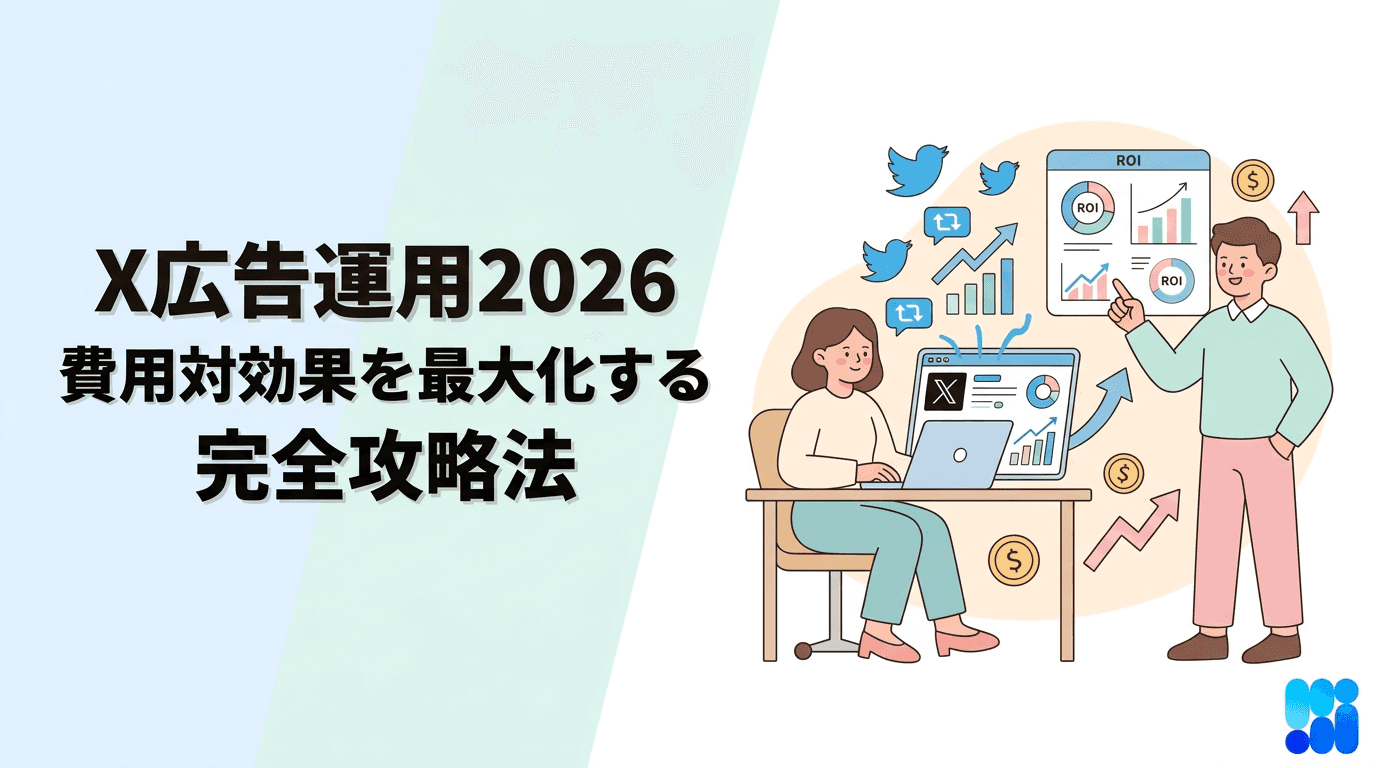
"I want to run effective ads on Twitter, but I don't really understand how to set it up..."
Twitter ads are a very effective means for business expansion and increasing brand awareness. However, many people may be confused about where to start with the various settings and targeting options available.
In this article, the Cascade editorial team thoroughly explains how to set up Twitter ads based on the latest information from 2024! From account creation to campaign settings, budget setting, targeting, region specification, and methods to stop or delete ads, we will explain everything step by step with illustrations for clarity. Furthermore, we will comprehensively cover the management of multiple accounts, ways to utilize analytical tools to maximize cost-effectiveness, comparisons of the features of various ad formats, and the knowledge necessary for operating Twitter ads. After reading this article, even beginners should feel confident to start using Twitter ads.
What are Twitter Ads? Basics and Benefits Explained
"Twitter ads" refer to ads that are displayed on Twitter's timeline and search results. They are designed to look similar to regular tweets, making it easy for users to receive information naturally. By utilizing Twitter, which has one of the largest active user bases among social media platforms, you can approach many users and link it to business expansion and increasing brand awareness.
How Twitter Ads Work
Twitter ads are shown in users' timelines, search results, and "recommended" feeds. Like regular tweets, actions such as likes and retweets are also possible. Therefore, users may not easily recognize them as ads and can receive the information naturally. Another significant advantage is that tweets that are shared again do not incur advertising costs, allowing for the dissemination of information even on a low budget.
Twitter ads are also characterized by the variety of targeting options available. By specifying user demographics, interests, and keywords, ads can be delivered to more accurately targeted audiences, resulting in efficient performance.
Advantages and Disadvantages of Twitter Ads
Twitter ads have the following advantages and disadvantages.
Advantages | Disadvantages |
|---|---|
Can reach many users: You can deliver ads on a massive platform with a large monthly active user base, making it possible to approach a wide range of demographics. | Measurement of effectiveness can be difficult: To accurately measure the effectiveness of ads, appropriate analytical tools and metrics are necessary. |
Information can be sent naturally: Ads are delivered in a format similar to regular tweets, making it less likely that users will perceive them as ads, allowing them to receive information naturally. | Risk of backlash: There is a risk of negative reactions or criticism spreading, thus requiring appropriate management and response. |
Information can be disseminated on a low budget: Since retweeted posts do not incur advertising costs, effective dissemination of information can be achieved at a lower cost. | |
Diverse targeting is possible: By utilizing various targeting options such as user demographics, interests, and keywords, you can deliver ads to more precisely targeted audiences. |
By understanding these advantages and disadvantages, effective use of Twitter ads can lead to the achievement of business goals.
Let's Get Started with Twitter Ads! From Account Creation to Campaign Settings
To get started with Twitter ads, you first need to create an account and set up a campaign. Here, we will explain step-by-step how to go from account creation to campaign settings.
How to Create a Twitter Ads Account
Creating a Twitter ads account is easy. If you already have a Twitter account, you can complete it in just a few steps. If you don't have a Twitter account yet, please create one first.
While logged into the Twitter account you will be using for ads, go to "Twitter Ads".
Select the country and time zone, then click "Next".
If a screen appears for selecting the objective of the ad campaign, proceed to the next section, "Step-by-Step Guide to Campaign Settings".
Step-by-Step Guide to Campaign Settings
Once you've created your Twitter ads account, let's set up the campaign right away. Setting up the campaign is a crucial step in determining the objectives of the ads, targeting, budget, etc.
Set the campaign name. Make sure to give it a specific name so that you can easily identify the campaign.
Set the start and end dates for the campaign. If you do not set an end date, ads will continue to be delivered.
Set the targeting. Details will be explained in the following section, "Maximize Ad Effectiveness with Twitter Ad Targeting Settings!".
Set the daily budget. The budget can be changed at any time.
Select a bidding strategy. You can choose between automatic bidding or manual bidding.
Create the creatives. Set the text, images, videos, etc., to be used in the ads.
Review the campaign's content, and if there are no issues, start delivering the ads.
How to Set Campaign Goals and Types
With Twitter ads, you can set various campaign goals. Selecting the most suitable goal according to your business aims can maximize ad effectiveness.
The main campaign goals are as follows.
Campaign Goal | Description |
|---|---|
Website Clicks | The goal is to increase traffic to the website. |
App Installations | The goal is to increase the number of app installations. |
Gaining Followers | The goal is to increase the number of followers on your Twitter account. |
Engagement | The goal is to increase engagement (likes, retweets, replies, etc.) with the tweets. |
Video Views | The goal is to increase the number of views for the videos. |
Increasing Brand Awareness | The goal is to enhance brand awareness. |
When you select a campaign goal, optimized bidding strategies and targeting options will be suggested. If you have multiple goals, it is recommended to create separate campaigns for each.
Thorough Explanation of Twitter Ads Budgeting! 5 Steps to Achieve Results with Optimal Costs
Twitter ads allow for flexible budgeting. You can start with a small amount, making it easy for those with budget concerns to give it a try. However, rather than haphazardly setting a budget, strategic budgeting aimed at achieving goals is essential. Here, we will explain the five steps to achieve results with optimal costs.
Step 1: Set Goals and KPIs
First, clearly define what you want to achieve with Twitter ads. By setting specific goals such as increasing brand awareness, boosting traffic to the website, or acquiring leads, you can select appropriate KPIs (Key Performance Indicators). For example, if the goal is to increase web traffic, suitable KPIs might be "number of clicks" or "number of conversions".
Goal | Examples of KPIs |
|---|---|
Increase Brand Awareness | Impressions, Reach |
Increase Website Traffic | Number of Clicks, Number of Conversions |
Acquire Leads | Number of Leads, Conversion Rate |
By setting clear goals and KPIs, you can efficiently manage budget allocation and effectiveness measurement.
Step 2: Determine Budget Allocation
Once the goals and KPIs are set, determine the budget allocation. Start by setting an overarching monthly budget. Since Twitter ads can begin with a small amount, it is advisable to start with a lower budget for testing and gradually increase it as you monitor the results. Consider the duration of the campaign, the extent of targeting, bidding strategies, etc., to set a daily budget that aligns with your goals.
Step 3: Choose a Bidding Strategy
Twitter ads allow you to select from several bidding strategies. Understand the characteristics of automated bidding, target cost bidding, maximum cost-per-click bidding, etc., and choose the strategy that best fits your goal. For instance, if the goal is to acquire conversions, automated bidding or target cost bidding would be effective. On the other hand, if the aim is to enhance brand awareness, maximum cost-per-click bidding is suitable to maximize the number of impressions.
Step 4: Measure Cost-effectiveness
After starting to deliver ads, regularly measure cost-effectiveness. The management screen for Twitter ads enables you to check data such as impressions, clicks, the number of conversions, and costs. Based on this data, you can calculate metrics like CPA (Cost Per Acquisition) and ROAS (Return on Advertising Spend) to evaluate ad performance. Twitter ads are an advertising method that can potentially enhance cost-effectiveness through user retweets. By creating effective ad creatives and encouraging dissemination, it is possible to achieve significant results at a low cost.
Step 5: Adjust and Optimize the Budget
Based on the results of measuring cost-effectiveness, adjustments and optimizations of the budget are required. Increase the budget for campaigns with high effectiveness and stop or improve those with low effectiveness. Also, by refining targeting strategies and reviewing bidding strategies, keep iterating the PDCA cycle to achieve the optimal budget allocation and maximize advertising effectiveness.
Maximize Ad Effectiveness with Twitter Ad Targeting Settings!
To fully leverage the potential of Twitter ads, appropriate targeting settings are crucial. By not simply dispersing ads randomly but focusing on the specific users you truly want to reach, you can maximize cost-effectiveness and come closer to achieving business objectives. This section will detail the types of targeting available with Twitter ads and how to utilize them.
Types of Targeting and How to Utilize Them
Twitter ads offer a variety of targeting options that can be combined to achieve very precise targeting. Broadly, there are five types.
Type | Description | Examples of Use |
|---|---|---|
Demographic Targeting | Targets based on attributes such as age, gender, and place of residence. | Cosmetic ads for women in their 20s, job ads targeting specific regions, etc. |
Interest Targeting | Targets based on users' interests and hobbies. | Ads for sports equipment to sports enthusiasts, movie information site ads to movie lovers, etc. |
Keyword Targeting | Targets users who have tweeted or searched for specific keywords. | Ads for diet products targeted at users who have searched with the keyword "diet", ads for travel agencies aimed at users tweeting about "travel", etc. |
Follower Lookalike | Targets users with similar attributes to existing followers. | Effective when wanting to reach users with attributes similar to your account's existing followers. |
Event Targeting | Targets users interested in specific events (e.g., sports events, holidays). | Ads for gifts in line with the Christmas season, ads for sports-related products during the Olympics, etc. |
By effectively utilizing these targeting options, you can reduce unnecessary advertising costs and increase conversion rates.
Demographic Targeting
Demographic targeting is a method of targeting based on user attributes such as age, gender, place of residence, language, and device use. By delivering ads focused on user groups with specific attributes, more effective reach is made possible. For example, when advertising products aimed at younger audiences, targeting by age group can efficiently use advertising expenses.
Interest Targeting
Interest targeting is a method that targets users based on their interests and hobbies. Twitter analyzes users' tweet content and followed accounts to determine their interests. Utilizing this data allows for pinpoint ad delivery to users with specific hobbies. For example, delivering movie-related ads to movie enthusiasts can lead to high conversion rates.
Keyword Targeting
Keyword targeting is a method that targets users who have tweeted or searched for specific keywords. By understanding what keywords users are interested in, ads can be delivered that meet their needs. For example, delivering travel-related ads to users who tweeted with the hashtag "#travel" enables reaching users with high purchasing intent.
Follower Lookalike
Follower Lookalike is a method for targeting users with similar attributes to existing followers. Users who already follow your account are likely to have an interest in your products or services. By utilizing this targeting, you can widen reach to new user groups with attributes similar to your existing followers, which can lead to the acquisition of potential customers.
How to Specify Regions for Twitter Ads (Domestic and Overseas)
With Twitter ads, you can use geographical targeting to deliver ads specifically to users in certain regions. This is particularly effective when the aim is to attract customers to physical stores or conduct region-specific campaigns. In this section, we will explain how to set geographical targeting for domestic and overseas audiences, as well as points to note.
How to Set Domestic Targeting
For domestic geographical targeting settings, you can specify the
"I want to run effective ads on Twitter, but I don't really understand how to set it up..."
Twitter ads are a very effective means for business expansion and increasing brand awareness. However, many people may be confused about where to start with the various settings and targeting options available.
In this article, the Cascade editorial team thoroughly explains how to set up Twitter ads based on the latest information from 2024! From account creation to campaign settings, budget setting, targeting, region specification, and methods to stop or delete ads, we will explain everything step by step with illustrations for clarity. Furthermore, we will comprehensively cover the management of multiple accounts, ways to utilize analytical tools to maximize cost-effectiveness, comparisons of the features of various ad formats, and the knowledge necessary for operating Twitter ads. After reading this article, even beginners should feel confident to start using Twitter ads.
What are Twitter Ads? Basics and Benefits Explained
"Twitter ads" refer to ads that are displayed on Twitter's timeline and search results. They are designed to look similar to regular tweets, making it easy for users to receive information naturally. By utilizing Twitter, which has one of the largest active user bases among social media platforms, you can approach many users and link it to business expansion and increasing brand awareness.
How Twitter Ads Work
Twitter ads are shown in users' timelines, search results, and "recommended" feeds. Like regular tweets, actions such as likes and retweets are also possible. Therefore, users may not easily recognize them as ads and can receive the information naturally. Another significant advantage is that tweets that are shared again do not incur advertising costs, allowing for the dissemination of information even on a low budget.
Twitter ads are also characterized by the variety of targeting options available. By specifying user demographics, interests, and keywords, ads can be delivered to more accurately targeted audiences, resulting in efficient performance.
Advantages and Disadvantages of Twitter Ads
Twitter ads have the following advantages and disadvantages.
Advantages | Disadvantages |
|---|---|
Can reach many users: You can deliver ads on a massive platform with a large monthly active user base, making it possible to approach a wide range of demographics. | Measurement of effectiveness can be difficult: To accurately measure the effectiveness of ads, appropriate analytical tools and metrics are necessary. |
Information can be sent naturally: Ads are delivered in a format similar to regular tweets, making it less likely that users will perceive them as ads, allowing them to receive information naturally. | Risk of backlash: There is a risk of negative reactions or criticism spreading, thus requiring appropriate management and response. |
Information can be disseminated on a low budget: Since retweeted posts do not incur advertising costs, effective dissemination of information can be achieved at a lower cost. | |
Diverse targeting is possible: By utilizing various targeting options such as user demographics, interests, and keywords, you can deliver ads to more precisely targeted audiences. |
By understanding these advantages and disadvantages, effective use of Twitter ads can lead to the achievement of business goals.
Let's Get Started with Twitter Ads! From Account Creation to Campaign Settings
To get started with Twitter ads, you first need to create an account and set up a campaign. Here, we will explain step-by-step how to go from account creation to campaign settings.
How to Create a Twitter Ads Account
Creating a Twitter ads account is easy. If you already have a Twitter account, you can complete it in just a few steps. If you don't have a Twitter account yet, please create one first.
While logged into the Twitter account you will be using for ads, go to "Twitter Ads".
Select the country and time zone, then click "Next".
If a screen appears for selecting the objective of the ad campaign, proceed to the next section, "Step-by-Step Guide to Campaign Settings".
Step-by-Step Guide to Campaign Settings
Once you've created your Twitter ads account, let's set up the campaign right away. Setting up the campaign is a crucial step in determining the objectives of the ads, targeting, budget, etc.
Set the campaign name. Make sure to give it a specific name so that you can easily identify the campaign.
Set the start and end dates for the campaign. If you do not set an end date, ads will continue to be delivered.
Set the targeting. Details will be explained in the following section, "Maximize Ad Effectiveness with Twitter Ad Targeting Settings!".
Set the daily budget. The budget can be changed at any time.
Select a bidding strategy. You can choose between automatic bidding or manual bidding.
Create the creatives. Set the text, images, videos, etc., to be used in the ads.
Review the campaign's content, and if there are no issues, start delivering the ads.
How to Set Campaign Goals and Types
With Twitter ads, you can set various campaign goals. Selecting the most suitable goal according to your business aims can maximize ad effectiveness.
The main campaign goals are as follows.
Campaign Goal | Description |
|---|---|
Website Clicks | The goal is to increase traffic to the website. |
App Installations | The goal is to increase the number of app installations. |
Gaining Followers | The goal is to increase the number of followers on your Twitter account. |
Engagement | The goal is to increase engagement (likes, retweets, replies, etc.) with the tweets. |
Video Views | The goal is to increase the number of views for the videos. |
Increasing Brand Awareness | The goal is to enhance brand awareness. |
When you select a campaign goal, optimized bidding strategies and targeting options will be suggested. If you have multiple goals, it is recommended to create separate campaigns for each.
Thorough Explanation of Twitter Ads Budgeting! 5 Steps to Achieve Results with Optimal Costs
Twitter ads allow for flexible budgeting. You can start with a small amount, making it easy for those with budget concerns to give it a try. However, rather than haphazardly setting a budget, strategic budgeting aimed at achieving goals is essential. Here, we will explain the five steps to achieve results with optimal costs.
Step 1: Set Goals and KPIs
First, clearly define what you want to achieve with Twitter ads. By setting specific goals such as increasing brand awareness, boosting traffic to the website, or acquiring leads, you can select appropriate KPIs (Key Performance Indicators). For example, if the goal is to increase web traffic, suitable KPIs might be "number of clicks" or "number of conversions".
Goal | Examples of KPIs |
|---|---|
Increase Brand Awareness | Impressions, Reach |
Increase Website Traffic | Number of Clicks, Number of Conversions |
Acquire Leads | Number of Leads, Conversion Rate |
By setting clear goals and KPIs, you can efficiently manage budget allocation and effectiveness measurement.
Step 2: Determine Budget Allocation
Once the goals and KPIs are set, determine the budget allocation. Start by setting an overarching monthly budget. Since Twitter ads can begin with a small amount, it is advisable to start with a lower budget for testing and gradually increase it as you monitor the results. Consider the duration of the campaign, the extent of targeting, bidding strategies, etc., to set a daily budget that aligns with your goals.
Step 3: Choose a Bidding Strategy
Twitter ads allow you to select from several bidding strategies. Understand the characteristics of automated bidding, target cost bidding, maximum cost-per-click bidding, etc., and choose the strategy that best fits your goal. For instance, if the goal is to acquire conversions, automated bidding or target cost bidding would be effective. On the other hand, if the aim is to enhance brand awareness, maximum cost-per-click bidding is suitable to maximize the number of impressions.
Step 4: Measure Cost-effectiveness
After starting to deliver ads, regularly measure cost-effectiveness. The management screen for Twitter ads enables you to check data such as impressions, clicks, the number of conversions, and costs. Based on this data, you can calculate metrics like CPA (Cost Per Acquisition) and ROAS (Return on Advertising Spend) to evaluate ad performance. Twitter ads are an advertising method that can potentially enhance cost-effectiveness through user retweets. By creating effective ad creatives and encouraging dissemination, it is possible to achieve significant results at a low cost.
Step 5: Adjust and Optimize the Budget
Based on the results of measuring cost-effectiveness, adjustments and optimizations of the budget are required. Increase the budget for campaigns with high effectiveness and stop or improve those with low effectiveness. Also, by refining targeting strategies and reviewing bidding strategies, keep iterating the PDCA cycle to achieve the optimal budget allocation and maximize advertising effectiveness.
Maximize Ad Effectiveness with Twitter Ad Targeting Settings!
To fully leverage the potential of Twitter ads, appropriate targeting settings are crucial. By not simply dispersing ads randomly but focusing on the specific users you truly want to reach, you can maximize cost-effectiveness and come closer to achieving business objectives. This section will detail the types of targeting available with Twitter ads and how to utilize them.
Types of Targeting and How to Utilize Them
Twitter ads offer a variety of targeting options that can be combined to achieve very precise targeting. Broadly, there are five types.
Type | Description | Examples of Use |
|---|---|---|
Demographic Targeting | Targets based on attributes such as age, gender, and place of residence. | Cosmetic ads for women in their 20s, job ads targeting specific regions, etc. |
Interest Targeting | Targets based on users' interests and hobbies. | Ads for sports equipment to sports enthusiasts, movie information site ads to movie lovers, etc. |
Keyword Targeting | Targets users who have tweeted or searched for specific keywords. | Ads for diet products targeted at users who have searched with the keyword "diet", ads for travel agencies aimed at users tweeting about "travel", etc. |
Follower Lookalike | Targets users with similar attributes to existing followers. | Effective when wanting to reach users with attributes similar to your account's existing followers. |
Event Targeting | Targets users interested in specific events (e.g., sports events, holidays). | Ads for gifts in line with the Christmas season, ads for sports-related products during the Olympics, etc. |
By effectively utilizing these targeting options, you can reduce unnecessary advertising costs and increase conversion rates.
Demographic Targeting
Demographic targeting is a method of targeting based on user attributes such as age, gender, place of residence, language, and device use. By delivering ads focused on user groups with specific attributes, more effective reach is made possible. For example, when advertising products aimed at younger audiences, targeting by age group can efficiently use advertising expenses.
Interest Targeting
Interest targeting is a method that targets users based on their interests and hobbies. Twitter analyzes users' tweet content and followed accounts to determine their interests. Utilizing this data allows for pinpoint ad delivery to users with specific hobbies. For example, delivering movie-related ads to movie enthusiasts can lead to high conversion rates.
Keyword Targeting
Keyword targeting is a method that targets users who have tweeted or searched for specific keywords. By understanding what keywords users are interested in, ads can be delivered that meet their needs. For example, delivering travel-related ads to users who tweeted with the hashtag "#travel" enables reaching users with high purchasing intent.
Follower Lookalike
Follower Lookalike is a method for targeting users with similar attributes to existing followers. Users who already follow your account are likely to have an interest in your products or services. By utilizing this targeting, you can widen reach to new user groups with attributes similar to your existing followers, which can lead to the acquisition of potential customers.
How to Specify Regions for Twitter Ads (Domestic and Overseas)
With Twitter ads, you can use geographical targeting to deliver ads specifically to users in certain regions. This is particularly effective when the aim is to attract customers to physical stores or conduct region-specific campaigns. In this section, we will explain how to set geographical targeting for domestic and overseas audiences, as well as points to note.
How to Set Domestic Targeting
For domestic geographical targeting settings, you can specify the
\FreeDownload Now/
\FreeDownload Now/
\FreeDownload Now/
Table of Contents

© 2025 Cascade Inc, All Rights Reserved.

© 2025 Cascade Inc, All Rights Reserved.
© 2025 Cascade Inc, All Rights Reserved.