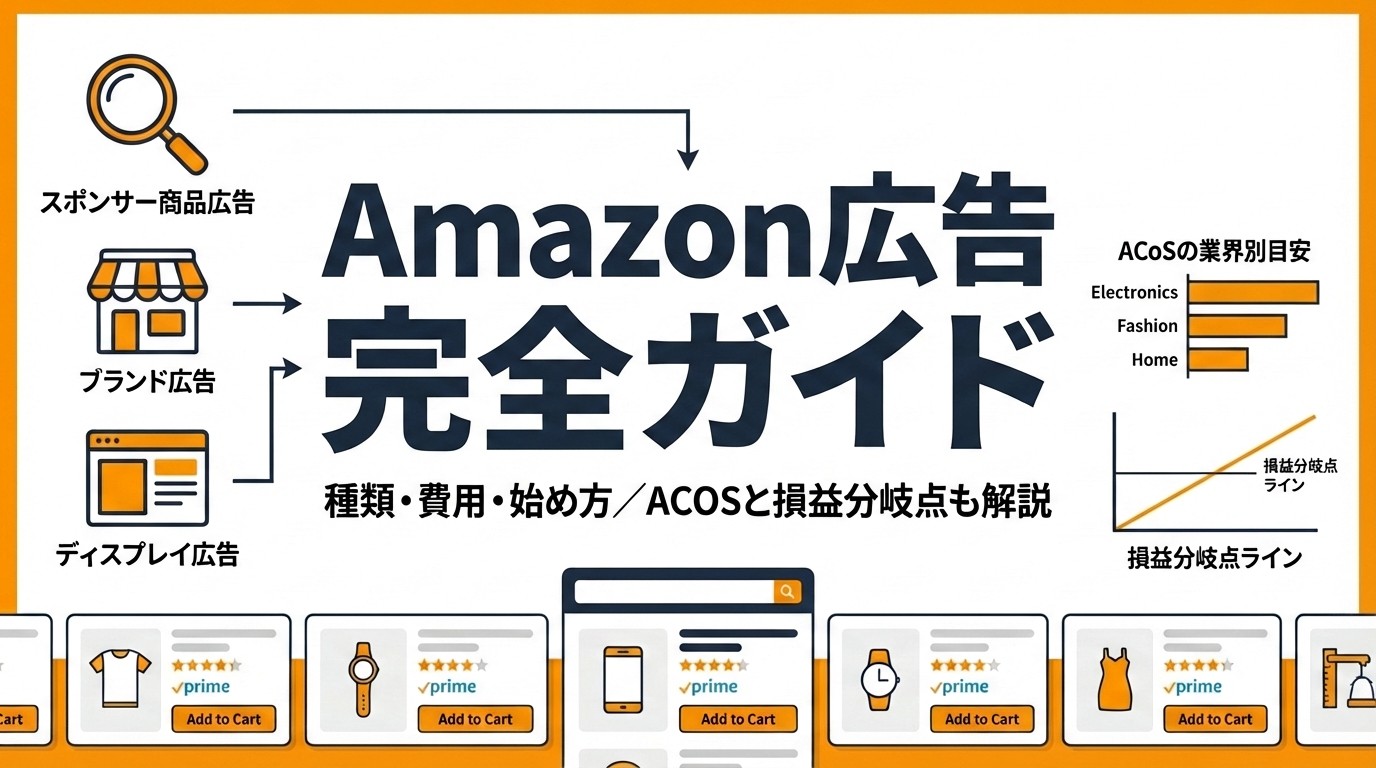
What is Amazon Advertising? A complete guide from types, costs, and how to get started to improving ACoS.

What is Amazon Advertising? A complete guide from types, costs, and how to get started to improving ACoS.

Complete Guide to Amazon Advertising

Amazon Ads is an advertising service that allows ads to be displayed in Amazon search results and on product pages. Because it can reach users with clear purchase intent—people who “want to buy something”—it tends to achieve higher conversion rates than other advertising media.

In this article, we systematically explain the types of Amazon Ads, estimated costs, campaign setup steps, the concept of ACoS as a performance metric, and tips for operational improvement. Whether you are just starting with Amazon Ads or already running campaigns and looking to improve them, we hope this serves as a useful reference.

What Are Amazon Ads? Basic Mechanism and Features

How Amazon Ads Work

Amazon Ads is an advertising service designed to make your products stand out within the Amazon marketplace. When users search for products on Amazon, ads are shown at the top of search results and on product detail pages.

Advertisers place bids on keywords and product categories, and display order is determined through an auction format. Since it mainly uses a cost-per-click (CPC) model, no cost is incurred just because an ad is displayed; you are charged only when a user clicks.

Three Reasons Amazon Ads Are Getting Attention

1. You can reach users with high purchase intent

Google and social media ads also reach users in the “information-gathering” stage, but many users visiting Amazon have a clear goal: “I want to buy a product.” This high purchase intent boosts Amazon Ads’ conversion rates.

2. You can start with a small budget

There is no minimum spend requirement, and delivery is possible even with a daily budget of around ¥1,000. You can test effectiveness without large upfront investment and flexibly concentrate budget on high-performing keywords.

3. You can leverage rich purchase data

You can target using Amazon’s massive shopping data (purchase history, browsing history, search behavior). This enables highly accurate segments such as “users who previously purchased products in this category.”

Comparison with Other Advertising Media

Comparison Item

Amazon Ads

Google Ads

Meta Ads (Facebook/Instagram)

User Purchase Intent

Very high

Medium to high

Low to medium

Billing Model

CPC / CPM

CPC / CPM

CPC / CPM

Average CPC (Japan)

¥5–¥10

¥50–¥200

¥50–¥150

Conversion Rate

High

Moderate

Low

Best-fit Products

Physical goods / e-commerce

Broad range

Suited for brand awareness

Publishing Requirement

Must be an Amazon seller

None

None

Amazon Ads tend to have lower CPCs than other media and can approach users closer to conversion, making them a high-ROI (return on investment) ad channel for e-commerce businesses.

Types of Amazon Ads [Comprehensive Comparison of 4 Types]

Amazon Ads can be broadly divided into four types: Sponsored Ads (3 types) and Amazon DSP.

Sponsored Products (SP)

This is the most widely used ad type. When users search for products on Amazon, it appears in search results and on product detail pages.

Item

Details

Placement

Search results pages, product detail pages

Billing Model

Cost-per-click (CPC)

Minimum CPC

From ¥2

Targeting

Keywords / Products (ASIN)

Brand Registry

Not required

Use cases:

  • When starting Amazon Ads for the first time

  • When you want to directly increase sales of specific products

  • When you want your products to appear on competitor product pages

Sponsored Products are simple to set up and the most directly tied to purchases. Since delivery starts 10–30 minutes after setup without a review process, you can test results quickly. If you are starting Amazon Ads, this is the best first option.

Also, as ad-driven sales increase, a positive cycle is created where organic ranking in Amazon’s search algorithm (A9/A10) also improves. By building sales through ads and ranking higher in organic search, you can gradually reduce dependence on ads.

Sponsored Brands (SB)

This ad format displays your brand logo, headline, and multiple products together at the top of search results. It enables both brand awareness and multi-product promotion at the same time.

Item

Details

Placement

Top of search results, sidebar, within search results

Billing Model

Cost-per-click (CPC)

Targeting

Keywords / Categories

Brand Registry

Required (Amazon Brand Registry)

Format

Product collection / Store spotlight / Video

Use cases:

  • When you want to boost brand awareness

  • When you want to promote multiple products together

  • When you have a brand store on Amazon

To use this type, Amazon Brand Registry is required. Since only trademark-registered brands can use it, there is a certain entry barrier.

Sponsored Display (SD)

This is a display ad format shown in various placements on and off Amazon. A major feature is retargeting (re-approaching users who previously viewed your product).

Item

Details

Placement

Product detail pages, next to customer reviews, off-Amazon sites

Billing Model

CPC / Impression-based billing (vCPM)

Targeting

Products / Audiences (interests, behavior)

Brand Registry

Required

Use cases:

  • When you want to re-approach users who viewed but did not buy

  • When you want your ads displayed on competitor product pages

  • When you want to deliver ads outside Amazon as well

Amazon DSP (Demand-Side Platform)

Amazon DSP is a platform that uses Amazon’s vast shopping data to deliver ads on and off Amazon. Unlike Sponsored Ads, it can be used even if you do not sell on Amazon.

Item

Details

Placement

Amazon sites, external sites, apps

Billing Model

Impression-based billing (CPM)

Targeting

Detailed audience segments

Minimum Spend

Generally from ¥1,000,000/month (via agency)

Amazon Selling Required

Not required

Use cases:

  • When running large-scale brand awareness campaigns

  • When you want to advertise on off-Amazon sites and apps

  • When you need advanced audience targeting

Because of its larger budget scale, Amazon DSP is suited for mid- to large-size advertisers.

Summary Comparison of the 4 Ad Types

Ad Type

Objective

Budget Level

Difficulty

Brand Registry

SP

Direct product sales

Small and up

Low

Not required

SB

Brand awareness + sales

Medium and up

Medium

Required

SD

Retargeting + awareness

Medium and up

Medium

Required

Amazon DSP

Large-scale awareness + off-site delivery

Large (¥1,000,000+)

High

Not required

For beginners, the standard approach is to start with Sponsored Products (SP), then expand into Sponsored Brands and Sponsored Display once results appear.


Amazon Ads Costs and Billing Models


Two Billing Models

Amazon Ads billing models vary by ad type.

Billing Model

Mechanism

Applicable Ad Types

CPC (Cost-per-click)

Charged only when a user clicks the ad

SP, SB, SD

CPM (Cost-per-mille)

Charged per 1,000 ad impressions

SD (when vCPM selected), Amazon DSP

With CPC, the core model for Sponsored Ads, you are not charged just for ad impressions. Since charges occur only when users actually click, it is easier to manage cost-effectiveness.

CPC (Cost per Click) Benchmarks

The average CPC for Amazon Ads in Japan is around ¥5–¥10. Compared with Google Ads average CPC (¥50–¥200), this is significantly lower.

However, CPC varies depending on product category and competition.

Category

CPC Guideline

Daily goods / consumables

¥3–¥8

Home electronics / gadgets

¥8–¥20

Fashion

¥5–¥15

Pet supplies

¥40–¥60

Beauty / health

¥10–¥30

Categories with more competitors tend to have higher CPC.

Monthly Budget Guidelines

Amazon Ads has no minimum spend restriction. You can freely set a daily budget and start small.

Phase

Monthly Budget Guideline

Objective

Testing (Months 1–2)

¥30,000–¥100,000

Data collection, effectiveness testing

Growth (Months 3–6)

¥100,000–¥300,000

Focus investment on high-performing keywords

Expansion (Month 7 onward)

¥300,000–¥1,000,000+

Expand ad types and categories

A safe approach is to start from around ¥30,000–¥50,000 per month, then gradually increase budget while monitoring ACoS (explained later).

Three Key Points for Budget Setting

1. Set a daily budget cap

You can set a daily maximum budget per campaign. Ads automatically stop when the budget is reached, preventing unexpected spending.

2. Back-calculate from product margin

Pre-calculate a level where profit remains after ad costs. For example, if a product has a 30% margin, keeping ad spend within 20% of sales is one practical benchmark.

3. Manage monthly caps with portfolio features

Using portfolios, you can group multiple campaigns and set a budget cap across a full period. Once the cap is reached, target campaigns stop automatically, preventing monthly overspend.

4. Adjust delivery by day of week and time of day

Allocating budget more heavily to days/times when products sell better can improve results with the same budget. During sale periods, you can also use budget rules to automatically increase budget for specific periods.

How to Start Amazon Ads [5 Steps]

Step 1: Register for Seller Central

To run Amazon Ads, you must first register as a seller in Amazon Seller Central. Both sole proprietors and corporations can register.

Important: To use Sponsored Ads, joining the **Professional selling plan (¥4,900/month)** is mandatory. The Individual plan does not allow ad publishing.

What you need:

  • Business email address

  • Credit card

  • ID verification document (driver’s license or passport)

  • Bank account information

  • For corporations: certificate of registered matters

After registration, linking with Amazon Advertising enables ad publishing. Access the “Advertising” tab in Seller Central and proceed to “Create campaign.”

Step 2: Optimize Product Pages

Before running ads, it is crucial to improve the quality of your product page (detail page). Even if ads generate clicks, purchases won’t happen if the product page is not compelling.

Optimization checklist:

  • Product title: Include primary keywords and clearly convey features (recommended within 150 characters)

  • Product images: High-quality main image on white background. Sub-images should show use cases and size. At least 5 images

  • Bullet points: List key features and benefits in 5 bullet points

  • Product description: Include detailed specs and purchase benefits. A+ Content (formerly EBC) is recommended

  • Reviews: A benchmark for stronger ad performance is 15+ reviews and a 4.0+ rating

Step 3: Create an Ad Campaign

Create a new campaign from the Seller Central ad management screen.

Settings:

  1. Campaign name: Define a manageable naming rule (e.g., “SP_Auto_ProductName_StartDate”)

  2. Start/end date: If no end date is set, delivery continues until manually stopped

  3. Daily budget: ¥1,000–¥3,000/day is a guideline for the testing phase

  4. Ad group: Group similar products for easier management

Step 4: Set Targeting

There are two types of targeting: “Auto Targeting” and “Manual Targeting.”

Auto Targeting

Amazon’s algorithm automatically delivers ads to relevant keywords and products based on your product information. Auto targeting has four match types.

Match Type

Details

Close match

Shown for keywords closely related to your product

Loose match

Shown for somewhat broader related keywords

Substitutes

Shown on pages for similar products (competitors)

Complements

Shown on pages for related products (often bought together)

  • Pros: Easy setup, can discover a wide range of keywords

  • Cons: May deliver to low-relevance keywords

Manual Targeting

The advertiser specifies specific keywords or products (ASINs) for delivery.

  • Pros: Fine-grained control over placements

  • Cons: More operational effort; keyword selection knowledge required

A recommended approach is to collect data via auto targeting for 2–4 weeks, then move high-performing keywords to manual targeting.

Step 5: Set Budget and Bids

A bid is the maximum amount you are willing to pay per click for a keyword.

There are 3 bidding strategies:

Bidding Strategy

Feature

Recommended Use

Dynamic bids - down only

Lowers bids when conversion likelihood is low

Cost-focused operations (good for beginners)

Dynamic bids - up and down

Adjusts bids up/down depending on conditions

When aiming to maximize sales

Fixed bids

Always bids at the set amount

When you want stable delivery volume

For beginners, “Dynamic bids - down only” is recommended. It automatically lowers bids when conversion likelihood is low, helping reduce wasteful spending.

ACoS (Advertising Cost of Sales): Basics and Benchmarks

What is ACoS?

ACoS (Advertising Cost of Sales) is a metric showing what percentage of ad-attributed sales is spent on advertising. It is one of the most fundamental metrics for evaluating Amazon Ads performance.

ACoS (%) = Ad Spend ÷ Ad-Attributed Sales × 100

For example, if ad spend is ¥50,000 and ad-attributed sales are ¥250,000:

ACoS = ¥50,000 ÷ ¥250,000 × 100 = 20%

A lower ACoS means better ad efficiency. In other words, you are generating more sales with less ad spend.

Difference Between ACoS and ROAS

ACoS and ROAS are inverse relationships.

Metric

Formula

Example (¥50,000 ad spend, ¥250,000 sales)

Preferred Direction

ACoS

Ad Spend ÷ Sales × 100

20%

Lower is better

ROAS

Sales ÷ Ad Spend × 100

500%

Higher is better

ACoS 20% = ROAS 500%. ACoS is commonly used for Amazon Ads, but if you use Google Ads or Meta Ads as well, unifying comparison with ROAS is convenient.

Conversion formulas:

  • ROAS = 1 ÷ ACoS × 100 (e.g., ACoS 20% → ROAS 500%)

  • ACoS = 1 ÷ ROAS × 100 (e.g., ROAS 400% → ACoS 25%)

ACoS Benchmarks [By Product Type and Phase]

Generally, ACoS 10–20% is considered “good,” but suitable values differ depending on margin and advertising objective.

Guidelines by gross margin:

Gross Margin

Target ACoS

Break-even ACoS

60%+

20–30%

Approx. 60%

40–60%

15–25%

Approx. 40–60%

30–40%

10–20%

Approx. 30–40%

20–30%

5–15%

Approx. 20–30%

Guidelines by objective:

Objective

Acceptable ACoS

Profit maximization (existing products)

10–20%

Sales expansion (growth products)

20–30%

New product awareness

30–50%

Ranking improvement campaigns

50%+ also acceptable

How to Calculate Break-even ACoS

Your break-even ACoS = Product gross margin (after Amazon fees)

For example, for a product sold at ¥3,000:

Item

Amount

Selling Price

¥3,000

Cost of Goods

¥900

Amazon Fees (15% referral fee)

¥450

FBA Fee

¥500

Gross Profit

¥1,150 (Gross Margin approx. 38%)

In this case, the break-even ACoS is about 38%. If ACoS exceeds 38%, you are in the red; below 38%, you are profitable.

In real operations, it is recommended to set your target at 70–80% of break-even ACoS (about 27–30% in this example).

Tips for Operating and Improving Amazon Ads [7 Measures]

1. Gradual transition from auto to manual

This is the most basic and important approach in Amazon ad operations.

Steps:

  1. Run auto targeting for 2–4 weeks and collect data in the search term report

  2. Identify keywords that generated conversions

  3. Add those keywords to a new manual targeting campaign

  4. Set those keywords as negatives in the auto campaign

  5. Adjust bids on manual campaigns to maximize ROAS

Continuously repeating this cycle of “discover → migrate → optimize” steadily improves ad efficiency.

2. Thorough management of negative keywords

Continuing to spend on keywords that do not convert is one of the biggest wastes.

Criteria for exclusion:

  • Keywords with 20+ clicks and 0 conversions

  • Keywords with ACoS significantly above break-even

  • Keywords with low relevance to the product

Check the search term report at least once a week and add non-performing keywords to negatives.

3. Improve product pages to raise CVR (conversion rate)

Increasing ad clicks is meaningless if users do not buy on the product page. Improving CVR is one of the most effective ways to lower ACoS.

CVR improvement priority:

  1. Improve main image (largest impact)

  2. Optimize product title (improve relevance to search keywords)

  3. Add A+ Content (EBC) (in some cases purchase rate improves by up to 10%)

  4. Increase review count and rating (use Vine and follow-up emails)

  5. Revisit pricing (check price gaps with competitors)

4. Fine-tune bids

Instead of using a uniform bid, adjust in detail based on each keyword’s performance.

Adjustment logic:

  • ACoS below target → Increase bid by 10–20% to gain more impressions

  • ACoS above target → Decrease bid by 10–20% to improve efficiency

  • Low impressions → Bid may be too low. Raise gradually

After changing bids, collect data for 3–5 days before making the next decision. If you change too frequently, accurate measurement becomes difficult.

5. Use keyword match types strategically

In manual targeting, using the three match types appropriately improves ad precision.

Match Type

Feature

How to Use

Broad match

Matches a wide range of related search terms

Use to discover new keywords

Phrase match

Matches search terms containing the specified phrase

Balanced type; use for core keywords

Exact match

Only matches when the keyword is exactly specified

Use for proven high-performing keywords

Recommended structure: For confirmed high-performing keywords, create separate campaigns with “exact match” and set higher bids. At the same time, keep a “broad match” campaign running to continue discovering new keywords.

6. Regular analysis of ad reports

The Amazon Ads console provides various reports.

Reports you should always check:

Report

Frequency

What to Check

Search term report

Weekly

Discover new keywords, identify negatives

Campaign report

1–2 times/week

ACoS, ROAS, sales, clicks trend

Product report

Monthly

Ad efficiency by product, review budget allocation

Placement report

Monthly

Performance comparison by placement

7. Organize ad account structure

If campaigns and ad groups become cluttered, budget optimization becomes difficult.

Recommended campaign structure:

キャンペーン1:SP_オート_商品カテゴリA
  広告グループ1:商品A-1, 商品A-2, 商品A-3

キャンペーン2:SP_マニュアル_商品カテゴリA_ブランドKW
  広告グループ1:自社ブランド名関連キーワード

キャンペーン3:SP_マニュアル_商品カテゴリA_一般KW
  広告グループ1:カテゴリー一般キーワード

キャンペーン4:SP_マニュアル_商品カテゴリA_競合ASIN
  広告グループ1:競合商品へのターゲティング
キャンペーン1:SP_オート_商品カテゴリA
  広告グループ1:商品A-1, 商品A-2, 商品A-3

キャンペーン2:SP_マニュアル_商品カテゴリA_ブランドKW
  広告グループ1:自社ブランド名関連キーワード

キャンペーン3:SP_マニュアル_商品カテゴリA_一般KW
  広告グループ1:カテゴリー一般キーワード

キャンペーン4:SP_マニュアル_商品カテゴリA_競合ASIN
  広告グループ1:競合商品へのターゲティング
キャンペーン1:SP_オート_商品カテゴリA
  広告グループ1:商品A-1, 商品A-2, 商品A-3

キャンペーン2:SP_マニュアル_商品カテゴリA_ブランドKW
  広告グループ1:自社ブランド名関連キーワード

キャンペーン3:SP_マニュアル_商品カテゴリA_一般KW
  広告グループ1:カテゴリー一般キーワード

キャンペーン4:SP_マニュアル_商品カテゴリA_競合ASIN
  広告グループ1:競合商品へのターゲティング
キャンペーン1:SP_オート_商品カテゴリA
  広告グループ1:商品A-1, 商品A-2, 商品A-3

キャンペーン2:SP_マニュアル_商品カテゴリA_ブランドKW
  広告グループ1:自社ブランド名関連キーワード

キャンペーン3:SP_マニュアル_商品カテゴリA_一般KW
  広告グループ1:カテゴリー一般キーワード

キャンペーン4:SP_マニュアル_商品カテゴリA_競合ASIN
  広告グループ1:競合商品へのターゲティング

Separating campaigns by objective makes budget management and performance analysis significantly easier.

Common Amazon Ads Failures and How to Fix Them

Failure 1: Leaving auto targeting unattended

Auto targeting is convenient, but if neglected, ad spend goes to low-relevance keywords and ACoS deteriorates.

Solution: Check the search term report at least weekly, add negative keywords, and migrate high-performing terms to manual targeting.

Failure 2: Running ads without improving the product page

If images are few, descriptions insufficient, or reviews scarce, clicks may increase but purchases won’t. As a result, ACoS rises sharply.

Solution: Complete product page optimization before launching ads. Main image and bullet points especially have a major impact on purchase decisions.

Failure 3: Increasing budget all at once

Investing a large budget without a testing period risks burning substantial ad spend on ineffective keywords.

Solution: Start small and increase gradually based on data. Increase budget when ACoS is stably within target.

Failure 4: Changing bids too frequently

If bids are changed daily, Amazon’s algorithm cannot stabilize and accurate measurement becomes difficult.

Solution: After changing bids, accumulate data for at least 3–5 days before making the next adjustment.

Failure 5: Judging only by ACoS

Even with low ACoS, if ad-attributed sales are too small, business impact remains limited. Conversely, even with high ACoS, ads may lift organic ranking and increase total sales.

Solution: Check not only ACoS but also TACoS (Total ACoS = Ad Spend ÷ Total Sales × 100). If TACoS is declining, ads are likely contributing to overall sales growth.

How to Improve Amazon Ads Efficiency

Amazon ad operations involve many tasks: keyword selection, bid adjustment, negative keyword management, report analysis, and more. As the number of products increases, manual management approaches its limit.

Cascade is an ad operations tool that uses AI to streamline Amazon ad management.

  • Unified data view: Intuitively monitor Amazon ad performance data on a dashboard

  • Budget optimization: AI analyzes ad spend allocation and suggests budget distribution to maximize ROAS

  • Keyword optimization suggestions: Based on performance data, AI automatically suggests keywords to add and exclude

If you run multiple ad campaigns or cannot spend much time on data analysis, consider using such tools.

Conclusion

Amazon Ads are a high cost-effectiveness ad channel that can reach users with strong purchase intent.

Key points to remember:

  • Ad type: Start with Sponsored Products (SP)

  • Cost: No minimum spend. Start from ¥30,000–¥50,000/month and scale gradually

  • ACoS: Understand your break-even ACoS and set targets at 70–80% of that

  • Operational basics: Gradual shift from auto to manual and proper negative keyword management are critical

  • Improvement priority: Product page optimization (CVR improvement) has the biggest impact

Amazon Ads are not “set and forget.” Results improve through continuous, data-driven optimization. Start with Sponsored Products using auto targeting and begin by accumulating data.

Frequently Asked Questions (FAQ)

Q. Can individuals run Amazon Ads?

Yes. If you register as a seller in Amazon Seller Central, sole proprietors can also run ads. You need the Professional plan (¥4,900/month), but no large upfront investment is required.

Q. What is the minimum budget for Amazon Ads?

There is no minimum spend requirement. You can set as low as ¥100/day. However, to collect sufficient data, a budget of around ¥1,000–¥3,000/day is recommended.

Q. Should I monitor ACoS or ROAS?

If you are operating only Amazon Ads, ACoS (standard in Amazon’s dashboard) is sufficient. If comparing across multiple channels such as Google Ads and Meta Ads, using ROAS consistently makes comparison easier.

Q. Which is better: auto targeting or manual targeting?

Using both together is most effective rather than choosing only one. The recommended flow is to discover broadly with auto targeting, then move high-performing keywords to manual targeting for optimization.

Q. How long does it take to see results from Amazon Ads?

Generally, data accumulation takes 2–4 weeks, and it takes about 2–3 months to run optimization cycles and achieve stable results. It is realistic to treat the first month as a data collection period and begin full-scale ACoS improvement from month two onward.

Q. What does it cost to outsource Amazon ad operations?

Management outsourcing fees are typically ¥50,000–¥200,000/month (fixed fee model) or 15–20% of ad spend (performance-based model). However, using tools to improve in-house efficiency is also a viable option.


Amazon Ads is an advertising service that allows ads to be displayed in Amazon search results and on product pages. Because it can reach users with clear purchase intent—people who “want to buy something”—it tends to achieve higher conversion rates than other advertising media.

In this article, we systematically explain the types of Amazon Ads, estimated costs, campaign setup steps, the concept of ACoS as a performance metric, and tips for operational improvement. Whether you are just starting with Amazon Ads or already running campaigns and looking to improve them, we hope this serves as a useful reference.

What Are Amazon Ads? Basic Mechanism and Features

How Amazon Ads Work

Amazon Ads is an advertising service designed to make your products stand out within the Amazon marketplace. When users search for products on Amazon, ads are shown at the top of search results and on product detail pages.

Advertisers place bids on keywords and product categories, and display order is determined through an auction format. Since it mainly uses a cost-per-click (CPC) model, no cost is incurred just because an ad is displayed; you are charged only when a user clicks.

Three Reasons Amazon Ads Are Getting Attention

1. You can reach users with high purchase intent

Google and social media ads also reach users in the “information-gathering” stage, but many users visiting Amazon have a clear goal: “I want to buy a product.” This high purchase intent boosts Amazon Ads’ conversion rates.

2. You can start with a small budget

There is no minimum spend requirement, and delivery is possible even with a daily budget of around ¥1,000. You can test effectiveness without large upfront investment and flexibly concentrate budget on high-performing keywords.

3. You can leverage rich purchase data

You can target using Amazon’s massive shopping data (purchase history, browsing history, search behavior). This enables highly accurate segments such as “users who previously purchased products in this category.”

Comparison with Other Advertising Media

Comparison Item

Amazon Ads

Google Ads

Meta Ads (Facebook/Instagram)

User Purchase Intent

Very high

Medium to high

Low to medium

Billing Model

CPC / CPM

CPC / CPM

CPC / CPM

Average CPC (Japan)

¥5–¥10

¥50–¥200

¥50–¥150

Conversion Rate

High

Moderate

Low

Best-fit Products

Physical goods / e-commerce

Broad range

Suited for brand awareness

Publishing Requirement

Must be an Amazon seller

None

None

Amazon Ads tend to have lower CPCs than other media and can approach users closer to conversion, making them a high-ROI (return on investment) ad channel for e-commerce businesses.

Types of Amazon Ads [Comprehensive Comparison of 4 Types]

Amazon Ads can be broadly divided into four types: Sponsored Ads (3 types) and Amazon DSP.

Sponsored Products (SP)

This is the most widely used ad type. When users search for products on Amazon, it appears in search results and on product detail pages.

Item

Details

Placement

Search results pages, product detail pages

Billing Model

Cost-per-click (CPC)

Minimum CPC

From ¥2

Targeting

Keywords / Products (ASIN)

Brand Registry

Not required

Use cases:

  • When starting Amazon Ads for the first time

  • When you want to directly increase sales of specific products

  • When you want your products to appear on competitor product pages

Sponsored Products are simple to set up and the most directly tied to purchases. Since delivery starts 10–30 minutes after setup without a review process, you can test results quickly. If you are starting Amazon Ads, this is the best first option.

Also, as ad-driven sales increase, a positive cycle is created where organic ranking in Amazon’s search algorithm (A9/A10) also improves. By building sales through ads and ranking higher in organic search, you can gradually reduce dependence on ads.

Sponsored Brands (SB)

This ad format displays your brand logo, headline, and multiple products together at the top of search results. It enables both brand awareness and multi-product promotion at the same time.

Item

Details

Placement

Top of search results, sidebar, within search results

Billing Model

Cost-per-click (CPC)

Targeting

Keywords / Categories

Brand Registry

Required (Amazon Brand Registry)

Format

Product collection / Store spotlight / Video

Use cases:

  • When you want to boost brand awareness

  • When you want to promote multiple products together

  • When you have a brand store on Amazon

To use this type, Amazon Brand Registry is required. Since only trademark-registered brands can use it, there is a certain entry barrier.

Sponsored Display (SD)

This is a display ad format shown in various placements on and off Amazon. A major feature is retargeting (re-approaching users who previously viewed your product).

Item

Details

Placement

Product detail pages, next to customer reviews, off-Amazon sites

Billing Model

CPC / Impression-based billing (vCPM)

Targeting

Products / Audiences (interests, behavior)

Brand Registry

Required

Use cases:

  • When you want to re-approach users who viewed but did not buy

  • When you want your ads displayed on competitor product pages

  • When you want to deliver ads outside Amazon as well

Amazon DSP (Demand-Side Platform)

Amazon DSP is a platform that uses Amazon’s vast shopping data to deliver ads on and off Amazon. Unlike Sponsored Ads, it can be used even if you do not sell on Amazon.

Item

Details

Placement

Amazon sites, external sites, apps

Billing Model

Impression-based billing (CPM)

Targeting

Detailed audience segments

Minimum Spend

Generally from ¥1,000,000/month (via agency)

Amazon Selling Required

Not required

Use cases:

  • When running large-scale brand awareness campaigns

  • When you want to advertise on off-Amazon sites and apps

  • When you need advanced audience targeting

Because of its larger budget scale, Amazon DSP is suited for mid- to large-size advertisers.

Summary Comparison of the 4 Ad Types

Ad Type

Objective

Budget Level

Difficulty

Brand Registry

SP

Direct product sales

Small and up

Low

Not required

SB

Brand awareness + sales

Medium and up

Medium

Required

SD

Retargeting + awareness

Medium and up

Medium

Required

Amazon DSP

Large-scale awareness + off-site delivery

Large (¥1,000,000+)

High

Not required

For beginners, the standard approach is to start with Sponsored Products (SP), then expand into Sponsored Brands and Sponsored Display once results appear.


Amazon Ads Costs and Billing Models


Two Billing Models

Amazon Ads billing models vary by ad type.

Billing Model

Mechanism

Applicable Ad Types

CPC (Cost-per-click)

Charged only when a user clicks the ad

SP, SB, SD

CPM (Cost-per-mille)

Charged per 1,000 ad impressions

SD (when vCPM selected), Amazon DSP

With CPC, the core model for Sponsored Ads, you are not charged just for ad impressions. Since charges occur only when users actually click, it is easier to manage cost-effectiveness.

CPC (Cost per Click) Benchmarks

The average CPC for Amazon Ads in Japan is around ¥5–¥10. Compared with Google Ads average CPC (¥50–¥200), this is significantly lower.

However, CPC varies depending on product category and competition.

Category

CPC Guideline

Daily goods / consumables

¥3–¥8

Home electronics / gadgets

¥8–¥20

Fashion

¥5–¥15

Pet supplies

¥40–¥60

Beauty / health

¥10–¥30

Categories with more competitors tend to have higher CPC.

Monthly Budget Guidelines

Amazon Ads has no minimum spend restriction. You can freely set a daily budget and start small.

Phase

Monthly Budget Guideline

Objective

Testing (Months 1–2)

¥30,000–¥100,000

Data collection, effectiveness testing

Growth (Months 3–6)

¥100,000–¥300,000

Focus investment on high-performing keywords

Expansion (Month 7 onward)

¥300,000–¥1,000,000+

Expand ad types and categories

A safe approach is to start from around ¥30,000–¥50,000 per month, then gradually increase budget while monitoring ACoS (explained later).

Three Key Points for Budget Setting

1. Set a daily budget cap

You can set a daily maximum budget per campaign. Ads automatically stop when the budget is reached, preventing unexpected spending.

2. Back-calculate from product margin

Pre-calculate a level where profit remains after ad costs. For example, if a product has a 30% margin, keeping ad spend within 20% of sales is one practical benchmark.

3. Manage monthly caps with portfolio features

Using portfolios, you can group multiple campaigns and set a budget cap across a full period. Once the cap is reached, target campaigns stop automatically, preventing monthly overspend.

4. Adjust delivery by day of week and time of day

Allocating budget more heavily to days/times when products sell better can improve results with the same budget. During sale periods, you can also use budget rules to automatically increase budget for specific periods.

How to Start Amazon Ads [5 Steps]

Step 1: Register for Seller Central

To run Amazon Ads, you must first register as a seller in Amazon Seller Central. Both sole proprietors and corporations can register.

Important: To use Sponsored Ads, joining the **Professional selling plan (¥4,900/month)** is mandatory. The Individual plan does not allow ad publishing.

What you need:

  • Business email address

  • Credit card

  • ID verification document (driver’s license or passport)

  • Bank account information

  • For corporations: certificate of registered matters

After registration, linking with Amazon Advertising enables ad publishing. Access the “Advertising” tab in Seller Central and proceed to “Create campaign.”

Step 2: Optimize Product Pages

Before running ads, it is crucial to improve the quality of your product page (detail page). Even if ads generate clicks, purchases won’t happen if the product page is not compelling.

Optimization checklist:

  • Product title: Include primary keywords and clearly convey features (recommended within 150 characters)

  • Product images: High-quality main image on white background. Sub-images should show use cases and size. At least 5 images

  • Bullet points: List key features and benefits in 5 bullet points

  • Product description: Include detailed specs and purchase benefits. A+ Content (formerly EBC) is recommended

  • Reviews: A benchmark for stronger ad performance is 15+ reviews and a 4.0+ rating

Step 3: Create an Ad Campaign

Create a new campaign from the Seller Central ad management screen.

Settings:

  1. Campaign name: Define a manageable naming rule (e.g., “SP_Auto_ProductName_StartDate”)

  2. Start/end date: If no end date is set, delivery continues until manually stopped

  3. Daily budget: ¥1,000–¥3,000/day is a guideline for the testing phase

  4. Ad group: Group similar products for easier management

Step 4: Set Targeting

There are two types of targeting: “Auto Targeting” and “Manual Targeting.”

Auto Targeting

Amazon’s algorithm automatically delivers ads to relevant keywords and products based on your product information. Auto targeting has four match types.

Match Type

Details

Close match

Shown for keywords closely related to your product

Loose match

Shown for somewhat broader related keywords

Substitutes

Shown on pages for similar products (competitors)

Complements

Shown on pages for related products (often bought together)

  • Pros: Easy setup, can discover a wide range of keywords

  • Cons: May deliver to low-relevance keywords

Manual Targeting

The advertiser specifies specific keywords or products (ASINs) for delivery.

  • Pros: Fine-grained control over placements

  • Cons: More operational effort; keyword selection knowledge required

A recommended approach is to collect data via auto targeting for 2–4 weeks, then move high-performing keywords to manual targeting.

Step 5: Set Budget and Bids

A bid is the maximum amount you are willing to pay per click for a keyword.

There are 3 bidding strategies:

Bidding Strategy

Feature

Recommended Use

Dynamic bids - down only

Lowers bids when conversion likelihood is low

Cost-focused operations (good for beginners)

Dynamic bids - up and down

Adjusts bids up/down depending on conditions

When aiming to maximize sales

Fixed bids

Always bids at the set amount

When you want stable delivery volume

For beginners, “Dynamic bids - down only” is recommended. It automatically lowers bids when conversion likelihood is low, helping reduce wasteful spending.

ACoS (Advertising Cost of Sales): Basics and Benchmarks

What is ACoS?

ACoS (Advertising Cost of Sales) is a metric showing what percentage of ad-attributed sales is spent on advertising. It is one of the most fundamental metrics for evaluating Amazon Ads performance.

ACoS (%) = Ad Spend ÷ Ad-Attributed Sales × 100

For example, if ad spend is ¥50,000 and ad-attributed sales are ¥250,000:

ACoS = ¥50,000 ÷ ¥250,000 × 100 = 20%

A lower ACoS means better ad efficiency. In other words, you are generating more sales with less ad spend.

Difference Between ACoS and ROAS

ACoS and ROAS are inverse relationships.

Metric

Formula

Example (¥50,000 ad spend, ¥250,000 sales)

Preferred Direction

ACoS

Ad Spend ÷ Sales × 100

20%

Lower is better

ROAS

Sales ÷ Ad Spend × 100

500%

Higher is better

ACoS 20% = ROAS 500%. ACoS is commonly used for Amazon Ads, but if you use Google Ads or Meta Ads as well, unifying comparison with ROAS is convenient.

Conversion formulas:

  • ROAS = 1 ÷ ACoS × 100 (e.g., ACoS 20% → ROAS 500%)

  • ACoS = 1 ÷ ROAS × 100 (e.g., ROAS 400% → ACoS 25%)

ACoS Benchmarks [By Product Type and Phase]

Generally, ACoS 10–20% is considered “good,” but suitable values differ depending on margin and advertising objective.

Guidelines by gross margin:

Gross Margin

Target ACoS

Break-even ACoS

60%+

20–30%

Approx. 60%

40–60%

15–25%

Approx. 40–60%

30–40%

10–20%

Approx. 30–40%

20–30%

5–15%

Approx. 20–30%

Guidelines by objective:

Objective

Acceptable ACoS

Profit maximization (existing products)

10–20%

Sales expansion (growth products)

20–30%

New product awareness

30–50%

Ranking improvement campaigns

50%+ also acceptable

How to Calculate Break-even ACoS

Your break-even ACoS = Product gross margin (after Amazon fees)

For example, for a product sold at ¥3,000:

Item

Amount

Selling Price

¥3,000

Cost of Goods

¥900

Amazon Fees (15% referral fee)

¥450

FBA Fee

¥500

Gross Profit

¥1,150 (Gross Margin approx. 38%)

In this case, the break-even ACoS is about 38%. If ACoS exceeds 38%, you are in the red; below 38%, you are profitable.

In real operations, it is recommended to set your target at 70–80% of break-even ACoS (about 27–30% in this example).

Tips for Operating and Improving Amazon Ads [7 Measures]

1. Gradual transition from auto to manual

This is the most basic and important approach in Amazon ad operations.

Steps:

  1. Run auto targeting for 2–4 weeks and collect data in the search term report

  2. Identify keywords that generated conversions

  3. Add those keywords to a new manual targeting campaign

  4. Set those keywords as negatives in the auto campaign

  5. Adjust bids on manual campaigns to maximize ROAS

Continuously repeating this cycle of “discover → migrate → optimize” steadily improves ad efficiency.

2. Thorough management of negative keywords

Continuing to spend on keywords that do not convert is one of the biggest wastes.

Criteria for exclusion:

  • Keywords with 20+ clicks and 0 conversions

  • Keywords with ACoS significantly above break-even

  • Keywords with low relevance to the product

Check the search term report at least once a week and add non-performing keywords to negatives.

3. Improve product pages to raise CVR (conversion rate)

Increasing ad clicks is meaningless if users do not buy on the product page. Improving CVR is one of the most effective ways to lower ACoS.

CVR improvement priority:

  1. Improve main image (largest impact)

  2. Optimize product title (improve relevance to search keywords)

  3. Add A+ Content (EBC) (in some cases purchase rate improves by up to 10%)

  4. Increase review count and rating (use Vine and follow-up emails)

  5. Revisit pricing (check price gaps with competitors)

4. Fine-tune bids

Instead of using a uniform bid, adjust in detail based on each keyword’s performance.

Adjustment logic:

  • ACoS below target → Increase bid by 10–20% to gain more impressions

  • ACoS above target → Decrease bid by 10–20% to improve efficiency

  • Low impressions → Bid may be too low. Raise gradually

After changing bids, collect data for 3–5 days before making the next decision. If you change too frequently, accurate measurement becomes difficult.

5. Use keyword match types strategically

In manual targeting, using the three match types appropriately improves ad precision.

Match Type

Feature

How to Use

Broad match

Matches a wide range of related search terms

Use to discover new keywords

Phrase match

Matches search terms containing the specified phrase

Balanced type; use for core keywords

Exact match

Only matches when the keyword is exactly specified

Use for proven high-performing keywords

Recommended structure: For confirmed high-performing keywords, create separate campaigns with “exact match” and set higher bids. At the same time, keep a “broad match” campaign running to continue discovering new keywords.

6. Regular analysis of ad reports

The Amazon Ads console provides various reports.

Reports you should always check:

Report

Frequency

What to Check

Search term report

Weekly

Discover new keywords, identify negatives

Campaign report

1–2 times/week

ACoS, ROAS, sales, clicks trend

Product report

Monthly

Ad efficiency by product, review budget allocation

Placement report

Monthly

Performance comparison by placement

7. Organize ad account structure

If campaigns and ad groups become cluttered, budget optimization becomes difficult.

Recommended campaign structure:

キャンペーン1:SP_オート_商品カテゴリA
  広告グループ1:商品A-1, 商品A-2, 商品A-3

キャンペーン2:SP_マニュアル_商品カテゴリA_ブランドKW
  広告グループ1:自社ブランド名関連キーワード

キャンペーン3:SP_マニュアル_商品カテゴリA_一般KW
  広告グループ1:カテゴリー一般キーワード

キャンペーン4:SP_マニュアル_商品カテゴリA_競合ASIN
  広告グループ1:競合商品へのターゲティング

Separating campaigns by objective makes budget management and performance analysis significantly easier.

Common Amazon Ads Failures and How to Fix Them

Failure 1: Leaving auto targeting unattended

Auto targeting is convenient, but if neglected, ad spend goes to low-relevance keywords and ACoS deteriorates.

Solution: Check the search term report at least weekly, add negative keywords, and migrate high-performing terms to manual targeting.

Failure 2: Running ads without improving the product page

If images are few, descriptions insufficient, or reviews scarce, clicks may increase but purchases won’t. As a result, ACoS rises sharply.

Solution: Complete product page optimization before launching ads. Main image and bullet points especially have a major impact on purchase decisions.

Failure 3: Increasing budget all at once

Investing a large budget without a testing period risks burning substantial ad spend on ineffective keywords.

Solution: Start small and increase gradually based on data. Increase budget when ACoS is stably within target.

Failure 4: Changing bids too frequently

If bids are changed daily, Amazon’s algorithm cannot stabilize and accurate measurement becomes difficult.

Solution: After changing bids, accumulate data for at least 3–5 days before making the next adjustment.

Failure 5: Judging only by ACoS

Even with low ACoS, if ad-attributed sales are too small, business impact remains limited. Conversely, even with high ACoS, ads may lift organic ranking and increase total sales.

Solution: Check not only ACoS but also TACoS (Total ACoS = Ad Spend ÷ Total Sales × 100). If TACoS is declining, ads are likely contributing to overall sales growth.

How to Improve Amazon Ads Efficiency

Amazon ad operations involve many tasks: keyword selection, bid adjustment, negative keyword management, report analysis, and more. As the number of products increases, manual management approaches its limit.

Cascade is an ad operations tool that uses AI to streamline Amazon ad management.

  • Unified data view: Intuitively monitor Amazon ad performance data on a dashboard

  • Budget optimization: AI analyzes ad spend allocation and suggests budget distribution to maximize ROAS

  • Keyword optimization suggestions: Based on performance data, AI automatically suggests keywords to add and exclude

If you run multiple ad campaigns or cannot spend much time on data analysis, consider using such tools.

Conclusion

Amazon Ads are a high cost-effectiveness ad channel that can reach users with strong purchase intent.

Key points to remember:

  • Ad type: Start with Sponsored Products (SP)

  • Cost: No minimum spend. Start from ¥30,000–¥50,000/month and scale gradually

  • ACoS: Understand your break-even ACoS and set targets at 70–80% of that

  • Operational basics: Gradual shift from auto to manual and proper negative keyword management are critical

  • Improvement priority: Product page optimization (CVR improvement) has the biggest impact

Amazon Ads are not “set and forget.” Results improve through continuous, data-driven optimization. Start with Sponsored Products using auto targeting and begin by accumulating data.

Frequently Asked Questions (FAQ)

Q. Can individuals run Amazon Ads?

Yes. If you register as a seller in Amazon Seller Central, sole proprietors can also run ads. You need the Professional plan (¥4,900/month), but no large upfront investment is required.

Q. What is the minimum budget for Amazon Ads?

There is no minimum spend requirement. You can set as low as ¥100/day. However, to collect sufficient data, a budget of around ¥1,000–¥3,000/day is recommended.

Q. Should I monitor ACoS or ROAS?

If you are operating only Amazon Ads, ACoS (standard in Amazon’s dashboard) is sufficient. If comparing across multiple channels such as Google Ads and Meta Ads, using ROAS consistently makes comparison easier.

Q. Which is better: auto targeting or manual targeting?

Using both together is most effective rather than choosing only one. The recommended flow is to discover broadly with auto targeting, then move high-performing keywords to manual targeting for optimization.

Q. How long does it take to see results from Amazon Ads?

Generally, data accumulation takes 2–4 weeks, and it takes about 2–3 months to run optimization cycles and achieve stable results. It is realistic to treat the first month as a data collection period and begin full-scale ACoS improvement from month two onward.

Q. What does it cost to outsource Amazon ad operations?

Management outsourcing fees are typically ¥50,000–¥200,000/month (fixed fee model) or 15–20% of ad spend (performance-based model). However, using tools to improve in-house efficiency is also a viable option.
\FreeDownload Now/

\FreeDownload Now/

\FreeDownload Now/

Cascade - Introduction Material

Table of Contents